MacWhisper Alternatives: File Transcription vs Dictating at the Cursor
Two very different jobs hide behind one search. If you want to turn audio files you already own into text, MacWhisper is probably still the right app. If you want words to land in the box your cursor is already sitting in, you want a dictation app instead. So a MacWhisper alternative is really two questions. Pick the job first.
Most lists of MacWhisper alternatives skip that step. They put a file transcriber and a hold to talk app in the same ranked list, give each one a star rating, and let you sort out the rest. So people buy the wrong tool, ask for a refund, and blame the app.
This guide splits the query on the axis that matters. Do the words arrive as a document you then copy, or do they appear in the field you were already typing in? Everything else follows from that.
The two jobs behind a MacWhisper alternative
File transcription starts with audio that already exists. You drag in an interview, a lecture, a podcast episode, or a screen recording. The app chews on it and hands back a transcript in its own window. You then copy that text, or export it as a subtitle file or a document.
Cursor dictation starts with nothing. You put the cursor in a Slack reply, hold a key, and talk. When you let go, the text appears right there. There is no file, no export step, and no second window to copy from.
These two jobs do not overlap much. A dictation app cannot open the interview.mp3 sitting on your desktop, because it has no file input at all. A file transcriber cannot type into your Slack reply, because it has no way to reach that text field. Buying one when you needed the other is the most common mistake in this whole category.
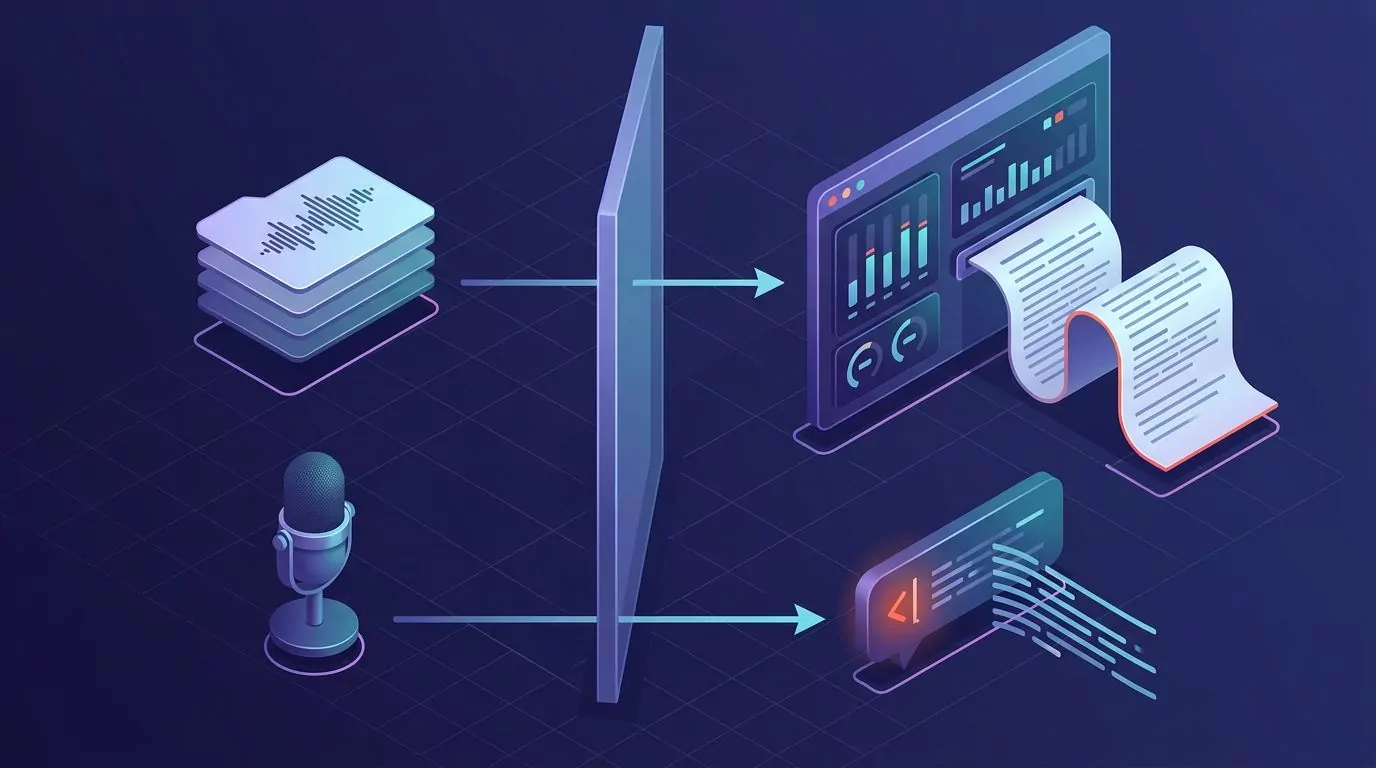
Here is the quick test. If the sound already exists, you need a file transcriber. If it only exists because you are about to say it, you need cursor dictation. A walkthrough of talk to text on your computer covers the second workflow in more detail, and dictating on a Mac in any app covers the Mac side of it.
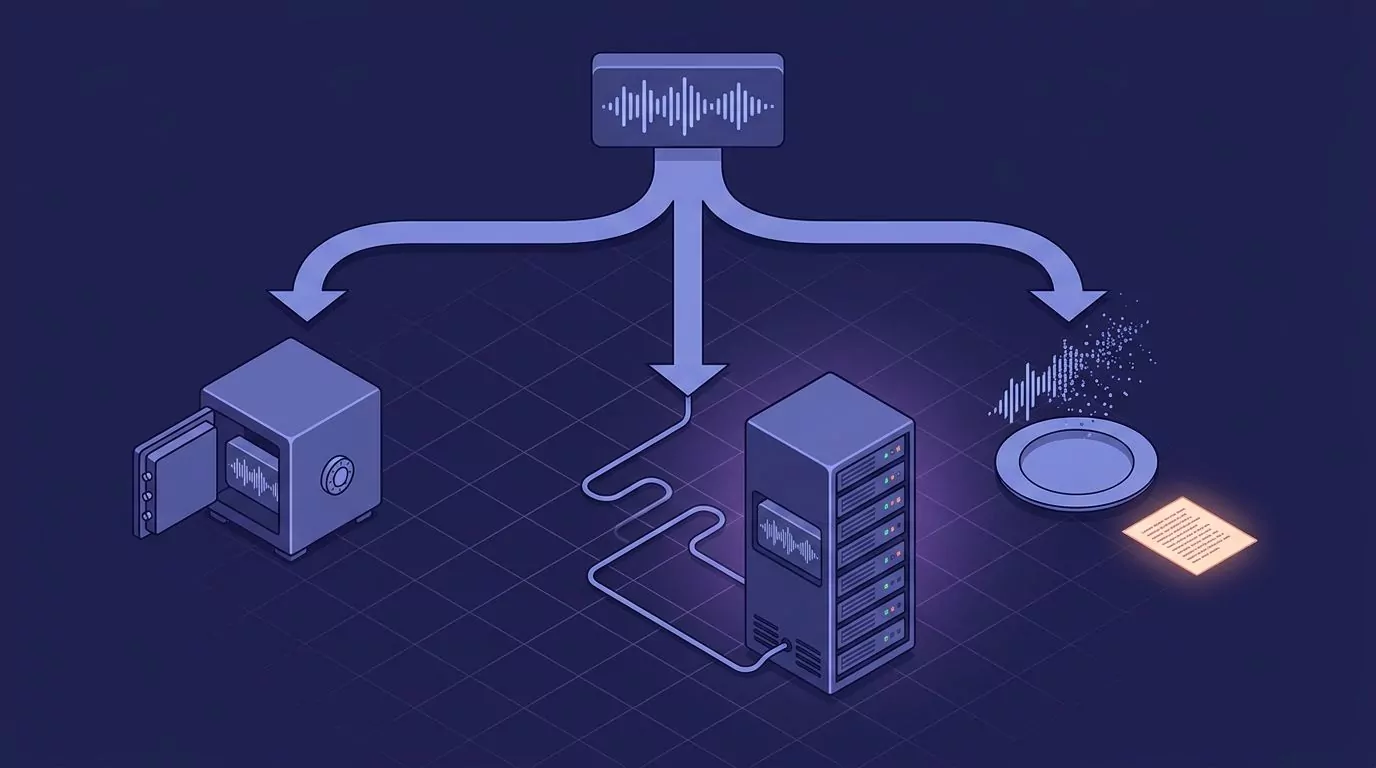
One product note, stated plainly so nobody buys the wrong thing. VoiceSnap Pro sits in the second group only. It is a hold to dictate app for Mac and Windows. It does not open or transcribe audio files you already have, it does not record meetings or calls, and it does not store audio at all. Speech becomes text and the audio is discarded. If your job is a folder of MP3 files, close this tab and buy a file transcriber.
What MacWhisper does well
MacWhisper is a Mac app built by Jordi Bruin. It runs OpenAI Whisper models on your own machine, and it also offers Nvidia Parakeet. It is good at the job it was built for, and lists that rank it low are judging it against a job it never claimed.
The strengths are concrete:
- Files stay on the Mac. With a local model, the audio never leaves your computer. No upload, no account, no server.
- Batch work. You can drop in many files at once instead of babysitting them one by one.
- Subtitle export. It writes .srt and .vtt files, which is exactly what you need for video captions.
- Other export formats. Plain text, Markdown, PDF, HTML and Word documents.
- Speaker recognition. It can split a two person interview into labelled turns, which saves a lot of manual cleanup.
- Watched folders and a command line. You can wire it into a routine so files transcribe themselves.
- A one time price. There is a free tier at no cost, and Pro is a single payment rather than a monthly bill.
On price, the vendor lists the free tier at 0 euros and Pro at 64 euros per licence, paid once, with lifetime updates. The Gumroad listing shows 65 euros for one personal licence, with cheaper per seat rates on five, ten, twenty and fifty packs. Prices move, so check the store before you buy.
There is a nuance the other comparison pages get wrong in both directions. MacWhisper Pro does include a dictation feature, so the wall between the two jobs is not solid. But the app is still built around the file window, and it assumes you have something to transcribe. It also records meetings, which most dictation apps deliberately do not do.
So here is the honest verdict. For podcast episodes, interview recordings, lecture audio and video captions, MacWhisper is the better tool and a cursor dictation app is the wrong purchase. Nothing below changes that.
The local model tradeoff nobody spells out
Whisper is a model, not an app. This one fact explains most of the confusion in this category. MacWhisper, Whisper Notes, Aiko and whisper.cpp all run the same set of released weights. When two of them give you different results on the same audio, the model you picked is usually doing more of the work than the app you picked.
The models come in sizes. Bigger means more accurate and slower. It also means a much larger download and a lot more memory while it runs. The numbers below combine the model list from the OpenAI Whisper repository with the on disk and in memory figures published in the whisper.cpp README, which is where most Mac apps get their model files.
| Model | Parameters | File on disk | Memory in use | Speed vs large | What it is good for |
|---|---|---|---|---|---|
| tiny | 39 M | 75 MB | about 273 MB | about 10x | Rough notes when you will fix the text anyway |
| base | 74 M | 142 MB | about 388 MB | about 7x | Clear speech, plain words, one speaker |
| small | 244 M | 466 MB | about 852 MB | about 4x | The usual sweet spot on a laptop |
| medium | 769 M | 1.5 GB | about 2.1 GB | about 2x | Names and trade terms start to land |
| large | 1550 M | 2.9 GB | about 3.9 GB | 1x | Best accuracy, slowest, heaviest |
There is also a turbo model. OpenAI describes it as a tuned version of large-v3 that is much faster with only a small drop in accuracy. It has 809 M parameters and runs at roughly 8x the speed of large. The catch is that turbo is not trained for translation, so it can write down what you said but it will not put it into English for you.
One more detail. The tiny, base, small and medium models each have an English only variant, marked .en in the file name. OpenAI notes that these do better on English, and that the gap is biggest on the two smallest models. If you only ever work in English, picking tiny.en over tiny is a free accuracy gain.

Now the consequences, which is the part the listicles leave out.
Free and local still costs you something. A large model is a 2.9 GB download before you transcribe a single second. On a laptop with a small drive, keeping two or three model sizes around is real disk pressure.
Your chip matters more than your app. On Apple silicon, whisper.cpp can run the heavy part of the model on the Neural Engine through Core ML, and the project reports that this can be more than three times faster than running on the processor alone. Intel Macs do not get that path. This is why a friend on an M3 says a local model is instant and you, on an older Mac, find it painful.
Long files run hot. A large model working through a two hour recording will push the fans and drain the battery. Laptops throttle when they get hot, so the second hour can be slower than the first.
Model choice beats app choice for accuracy. If a transcript came out badly, try the next model up before you go shopping for a new app. Most of the time that fixes it.
Eight apps compared on job, privacy and price
The table below is sorted by job, not by rank, because rank is meaningless across two jobs. The processing column is what matters for privacy, and the audio column tells you what is left behind after the text is made.
| Tool | Job | Platforms | Processing | What happens to your audio | Pricing model |
|---|---|---|---|---|---|
| MacWhisper | Files first, dictation in Pro | Mac | Local models, outside providers optional | Your files stay where you put them | Free tier, Pro one time at 64 to 65 euros |
| Aiko | Files only | Mac, iPhone, iPad | Local | Never leaves the device | $24 one time on the Mac App Store |
| Whisper Notes | Both, files and hold to talk | Apple silicon Macs, iPhone, iPad | Local, fully offline | Never leaves the device | $14 one time on Mac after a free trial |
| whisper.cpp | Files, plus a streaming demo | Mac, Windows and more | Local | Never leaves the machine | Free and open source, MIT licence |
| Superwhisper | Both, cursor first | Mac, Windows, iPhone | Local or cloud, your choice | Depends on the model you pick | Free tier, Pro from $8.49 a month |
| Wispr Flow | Cursor dictation | Mac, Windows, phones | Not stated on the vendor site | Not stated; the vendor points to its data controls | Free up to 2,000 words a week, Pro $12 to $15 a month |
| Apple Dictation | Cursor dictation | Mac | On device for general text on supported Macs | Nothing kept by you | Free with macOS |
| VoiceSnap Pro | Cursor dictation | Mac, Windows | Not stated on the vendor site | Turned into text, then discarded, none kept | $39 one time early access, pre launch |
If you need file transcription
MacWhisper is the default pick and the reason you are here. Local models, batch work, subtitles, speaker labels, one payment.
Aiko is the simple one. Drop in a file, get text, done. It runs Whisper large v2 locally on macOS, so nothing is uploaded. It is a paid app, listed at $24 on the Mac App Store. It has two real limits: you cannot edit the text inside the app, and it does not do live dictation at all. If you want the smallest possible tool for the job, that trade is fine.
Whisper Notes runs fully offline and covers both jobs on a Mac. You can import MP3, M4A or WAV files, and you can also hold Fn in any app to dictate. It identifies speakers too. It is $14 one time on Mac after a free trial of 10,000 words. The catch is hardware: the Mac version needs Apple silicon, so Intel owners are out.
whisper.cpp is not an app, it is a project. It is free, MIT licensed, and it runs from the command line. There is a streaming example that samples audio every half second, so real time is possible, but you are wiring it up yourself. Pick it if you enjoy that. Skip it if the phrase "build it first" made you tired.
If you need cursor dictation
Superwhisper is the closest thing to a bridge between the two jobs. It does cursor dictation, it also takes uploaded files, and it lets you choose local or cloud models. The free tier is real. Pro starts at $8.49 a month, with yearly and lifetime options. The vendor notes that Intel Macs work best with cloud models, which is the same silicon story from the section above. If it is on your shortlist, this fuller comparison of Superwhisper alternatives goes deeper on that one.
Wispr Flow is cursor dictation only, and it covers Mac, Windows and phones. The free tier gives you 2,000 words a week. Pro is $15 per user a month, or $12 if you pay yearly. Worth noting: the site does not say whether your voice is handled on your machine or on a server. It does list SOC 2 Type II, ISO 27001 and HIPAA compliance, and it points you to data sharing controls in Settings. If you need one shortcut that behaves the same on a Mac and a work laptop, it fits.
Apple Dictation is already on your Mac and costs nothing. Turn it on in System Settings, then Keyboard, then Dictation. You can set your own shortcut. Apple says Keyboard settings show whether your voice and transcripts for general text dictation are handled on the device rather than sent to Siri servers. There is no time limit, and it stops on its own after 30 seconds of silence. It is weaker on punctuation and it keeps no record of what you said, which is exactly why people go looking for something else. A roundup of the best dictation software for Mac covers where it runs out of road.
VoiceSnap Pro is a hold to dictate app for Mac and Windows. You put the cursor in any text field, hold your chosen shortcut, and speak. On release the text appears with capital letters, punctuation and paragraph breaks in place, and filler words like "um" removed. Every dictation is also saved as a note, tagged with the app and the time, and you can search all of them by any phrase you said. Audio is turned into text and then discarded, so there is no recording to leak and none to play back. It is pre launch: there is no download yet, only a waitlist at $39 one time for early access.
Setup and the failure modes nobody warns you about
Cursor dictation on a Mac needs two separate permissions, and people trip on the second one constantly. The app asks for the microphone, you say yes, you hold your key, and nothing appears. The app heard you fine. It just has no right to type.

Grant both permissions in the right order
- Open System Settings, then Privacy and Security, then Microphone. Switch on the app you just installed.
- Go back to Privacy and Security, then Accessibility. Switch the app on there too. This is the one that lets it send keystrokes to other apps.
- Quit the app fully and open it again. macOS often does not apply a fresh accessibility grant until the app restarts.
- Test in TextEdit before you test in anything that matters. If it works there and fails elsewhere, the problem is the target app, not the setup.
When a sandboxed app refuses the text
Some apps from the Mac App Store run in a tight sandbox. A few of them will not accept keystrokes sent by another app, so your words vanish into nothing. You will notice this in one specific app while every other app works fine.
Two ways out. First, check whether the vendor ships a direct download build as well as an App Store build, and use the direct one. Second, if the dictation app can put text on the clipboard instead of typing it, switch to that mode and paste with Command V. It is one extra keystroke and it goes around the block entirely.
When your hold key fights macOS
Hold to talk apps like the Fn key and the right Option key, and so does macOS. Fn is often already set to switch input source or open the emoji picker. Right Option is how you type special characters, so holding it can produce stray symbols.
Fix it by changing one side or the other. Open System Settings, then Keyboard, then Keyboard Shortcuts, and reassign or switch off the system shortcut that clashes. Or leave macOS alone and pick a key the system does not want, such as Control and Space together. Test it inside a terminal and inside a code editor, since those two claim the most shortcuts.
When the text lands in the wrong window
Text goes wherever the focus is at the moment you let go, not where it was when you started. If a notification steals focus mid sentence, your reply can end up in a search box or a chat you were not writing in.
The habit that fixes it: click into the field first, watch for the cursor to blink, then hold your key. Do not switch windows while holding. If it still goes astray, check whether your app keeps a notes library, because the text is usually saved there and you can copy it out. This triage guide for voice typing that is not working runs through the rest in order.
First run problems with local file transcription
Local apps do not ship the models inside the download. The first time you pick a size, the app fetches it, and that is when a 466 MB or 2.9 GB transfer starts. Do that on wifi you trust, and check you have room before you queue five files.
Long recordings are the other pinch point. A two hour file on a large model can run for a long while, and some apps look frozen when they are simply busy. Before you assume it hung, split the file into thirty minute chunks and run those. Chunks also let you keep partial results if something does crash.
What these apps are honestly bad at
Cursor dictation is weakest exactly where your work is most specific. Product names, people's names, medical and legal terms and code identifiers all come out wrong more often than plain prose does. A model that writes "reticular" for a colleague named Rachael is doing its normal job badly, not failing unusually.
Room noise and microphone quality matter more than most people expect. A laptop mic in a quiet room beats a good headset in a cafe. If accuracy dropped and nothing else changed, look at where you are sitting before you blame the app.
Then there is the tradeoff at the centre of this whole category. When an app discards audio, there is nothing to leak and nothing to subpoena. There is also nothing to go back and check. If the transcript says something odd, you cannot listen again to find out what you really said. That is a privacy win and a verification cost in the same decision, and which one you want depends on the work. A closer look at what zero data retention actually means unpacks the claims vendors make here.
It is worth saying what VoiceSnap Pro does not replace. It will not transcribe your podcast back catalogue, because it has no file input. It is not a meeting recorder and it does not capture calls. There is no audio to play back later, by design. And it is not shipping yet: today it is a waitlist at $39 one time for early access, not a download. If any of those are dealbreakers, one of the file tools above is the better answer.
Dictation is also not a cure for slow writing. It moves words faster than fingers do for most people, and you can see what typing normally costs in this look at average typing speed. But you still have to edit. For anything with heavy syntax, these notes on what voice coding actually works for are worth reading before you commit.
Frequently Asked Questions
Is MacWhisper free?
Partly. There is a free tier that costs nothing and handles basic transcription with the smaller local models. Pro is a one time payment, listed at 64 euros on the vendor site and 65 euros for a single personal licence on Gumroad, and it adds the larger models plus dictation, grammar cleanup and the batch and export extras. There is no monthly bill either way.
Is MacWhisper safe?
It is a paid Mac app from a named developer, Jordi Bruin, sold through his own store and the App Store. When you use a local model, your audio is processed on your Mac and never uploaded, which is about as private as transcription gets. Two caveats. The app also lets you plug in your own API keys for outside providers such as OpenAI, Anthropic or Groq, and anything you route that way leaves your Mac. And the vendor warns on his own store page that other websites pretend to be MacWhisper, so download it from macwhisper.com or the linked store rather than from a search ad.
Is there a MacWhisper for Windows?
No. MacWhisper is a Mac app and there is no Windows build. Windows users have three routes. Use the built in voice typing with Windows key and H, which Microsoft documents here. Run whisper.cpp yourself, since it builds on Windows. Or pick a cross platform app such as Superwhisper, Wispr Flow or VoiceSnap Pro, all of which cover Windows as well as Mac.
MacWhisper or Superwhisper, which should I pick?
Answer the job question. If most of your work is files you already have, and you want batch runs, subtitles and speaker labels, take MacWhisper and pay once. If most of your work is writing into apps all day, take Superwhisper and accept the subscription. Superwhisper does both jobs, which is genuinely useful, but it charges monthly for the privilege unless you buy the lifetime option.
Can MacWhisper type into other apps?
Yes, in the Pro version. MacWhisper Pro includes a system wide dictation feature, so it is not purely a file tool. The distinction is about design rather than a hard wall. The app is shaped around the transcription window, so if inserting text at the cursor is the main thing you want all day, a dictation first app will feel better. If it is a bonus on top of file work, Pro covers it.
Does a dictation app work offline?
Only some of them. Apps that run a local Whisper model, such as Whisper Notes or MacWhisper with a downloaded model, keep working with the wifi off. Apple Dictation handles general text on the device on supported Macs. Apps that do not publish where processing happens, including Wispr Flow and VoiceSnap Pro, should be treated as needing a connection until the vendor says otherwise. Check this before a flight, not during one.
Which Whisper model size should I start with?
Start with small. At 466 MB it downloads quickly, runs about four times faster than large, and handles ordinary speech well. Move up to medium if names and trade terms keep coming out wrong. Only go to large if you have the disk, the patience and a machine with Apple silicon.
Picking the one you actually need
Say the job out loud before you open a checkout page. Files that exist, or words that do not exist yet. Everything here falls out of that one question, and apps that look interchangeable in a ranked list stop looking that way the moment you ask it.
If the answer is files, MacWhisper is a good buy and this article was a long way of telling you to keep it. If the answer is words that do not exist yet, and you would like them to arrive already punctuated in whatever app you are in, plus saved as a note you can search later, you can join the VoiceSnap Pro waitlist for early access at $39 one time.