Whisper AI Alternatives: Whisper Is a Model, Not an App
Whisper is not an app. It is an open speech recognition model that OpenAI published with its weights, and it ships with no interface, no installer and no support line. So every Whisper AI alternative you find is really a delivery route rather than a rival product. You are picking how the model reaches you.
That one distinction changes the whole shopping list. Some of the tools sold as replacements are running Whisper themselves. Some are running a different model behind a friendlier wrapper. And a few are not competing with Whisper at all, because they solve a different problem: putting your words into the text field you are looking at right now.
This guide walks the four routes, gives you the model size numbers that decide whether your laptop can cope, lists the ways a local setup actually fails, and ends with the split that matters most. If you want the shorter version aimed at one specific Mac app, our Superwhisper alternatives comparison covers that ground.
What Whisper Actually Is, and Why That Changes the Question
OpenAI released Whisper in September 2022. The announcement post describes an encoder-decoder Transformer trained on 680,000 hours of multilingual, multitask audio pulled from the web. OpenAI open sourced the models and the inference code.
What it did not release was a product. There is no Whisper window, no Whisper menu bar icon, no Whisper account page. The official repository gives you a Python package and a command line tool. That is the entire user experience.
So when a page tells you Whisper is "command line only" and "batch processing only", it is describing the reference implementation, not a limit of the model. The model does not have an interface to be limited by. Anyone can wrap it, and plenty of people have.
This matters for your decision in three ways.
- Half the "alternatives" are Whisper. Several hosted APIs serve Whisper large v3 or its turbo variant. Several Mac apps load Whisper weights on your own machine. Swapping to them does not swap the model.
- Cost is not a single number. The weights are free. Running them is not. Your bill is either electricity and setup hours, or per-minute API charges, or a licence for someone else's wrapper.
- "Accuracy" comparisons are usually unfair. A page that puts "95 to 99 percent" next to Whisper and "99 percent" next to itself is comparing an unspecified model size on unspecified audio against a marketing figure. Ask which model, which audio, which measure.
Keep that last point in mind through the rest of this article. Every number below comes with the place it came from.
The Four Ways People Actually Run Whisper
There are four routes from the published weights to text on your screen. They differ in setup time, hardware, cost and, most of all, in what the finished text is for.
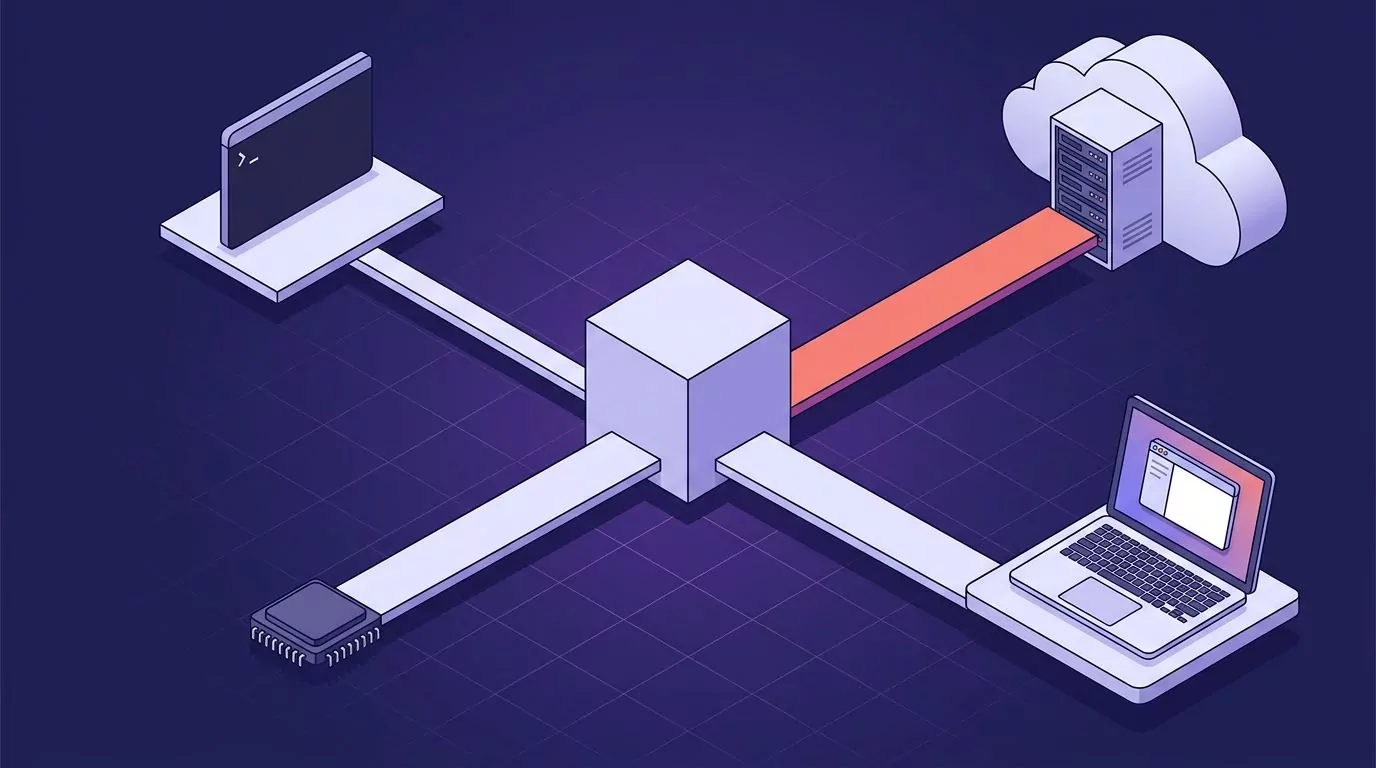
Route 1: Raw Python, Straight From the Repository
This is the reference path. You install the package with pip install -U openai-whisper, then point the command line tool at an audio file.
Two things trip people up before they get that far. First, Whisper needs ffmpeg on your system path to decode audio. The repo lists installs for apt, pacman, brew, choco and scoop. If ffmpeg is missing, the error you get talks about a file that is plainly there, which sends people hunting in the wrong place.
Second, this route pulls in PyTorch. The repo was built with Python 3.9.9 and PyTorch 1.10.1, and states it should work on Python 3.8 through 3.11 with recent PyTorch versions. On a machine with a GPU, that means matching your CUDA build to your torch build. On a machine without one, it means CPU inference, which is far slower than the demo videos suggest.
Pick this route if you are prototyping, you want the exact reference behaviour, or you plan to read the source. Skip it if you just want a transcript this afternoon.
Route 2: Optimised Rebuilds That Do the Same Job Faster
Three community projects reimplement Whisper for speed, and they are what most self-hosted setups actually run.
whisper.cpp is a plain C and C++ implementation with no dependencies. It runs on Apple Silicon through Metal and Core ML, on NVIDIA through CUDA, on AMD through ROCm, on Intel through OpenVINO, and on Vulkan across vendors. It supports integer quantisation, so a large model can be squeezed into less memory and less disk. If you want Whisper on a Mac without touching Python at all, this is the one.
faster-whisper rebuilds Whisper on CTranslate2. Its README claims up to four times the speed of the reference code at the same accuracy, with less memory. The benchmark behind that claim is stated: 13 minutes of audio, large v2, beam size 5, on an RTX 3070 Ti with 8 GB. Under those conditions the reference took 2 minutes 23 seconds and 4,708 MB, and faster-whisper took 1 minute 3 seconds and 4,525 MB. The int8 run took 59 seconds and 2,926 MB.
WhisperX adds the two things Whisper does not give you. It aligns output with a wav2vec2 model to produce word-level timestamps, and it adds speaker labels through pyannote diarisation. It also runs voice activity detection first, which the project says cuts hallucination. Diarisation needs a free Hugging Face token and a licence acceptance.
These three cover most real self-hosting. They are still batch tools that read a file and write a transcript.
Route 3: Let Somebody Else Host It
The hosted route trades a setup evening for a per-minute bill. You send audio to an endpoint and get text back. Several of these providers are still running Whisper.
- OpenAI. The speech to text API lists Whisper at $0.006 per minute. The newer gpt-4o-transcribe is also $0.006 per minute, and gpt-4o-mini-transcribe is $0.003 per minute.
- Groq. Serves Whisper large v3 turbo at $0.04 per hour of audio, with a stated speed factor of 216 times real time. Audio is billed with a 10 second minimum per request. That is the same model family, hosted.
- Deepgram. Runs its own Nova 3 models. Pre-recorded monolingual is listed at $0.0043 per minute pay as you go, and streaming at $0.0048 per minute on a promotional rate. New accounts get $200 in credit.
- AssemblyAI. Also its own models. Universal 2 pre-recorded is $0.15 per hour, Universal 3.5 Pro is $0.21 per hour, and streaming starts at $0.15 per hour. Note that streaming bills the time the socket is open, not the audio you send.
- Gladia. Sells a managed speech to text stack aimed at product teams, with Growth pricing that starts around $0.20 per hour.
Prices move, so treat these as a snapshot and check the vendor page before you budget. The structural point holds either way: hosted transcription is cheap per minute and expensive per privacy decision, because the audio leaves your machine. If that trade is the one you are weighing, our guide to what zero data retention actually means is the longer version of that argument.
Route 4: Desktop Apps Built Around the Model
These are apps, not models. Each one bundles Whisper or something like it, adds a window, and sells you the convenience.
MacWhisper is macOS only. Its core job is file transcription: drop in audio or video, get a transcript, export subtitles. Pro adds batch processing, subtitle export and speaker labels. It sells as a one time Pro licence on Gumroad, listed at 59 euros at the time of writing, with a separate App Store edition on a subscription.
Superwhisper runs on macOS, Windows and iOS, and can run models locally or in the cloud. The site notes that offline models only run really well on Apple Silicon, and that Intel Macs do better with cloud models. There is a free tier, and Pro is $8.49 per month with an annual and a lifetime option.
OpenWhispr is open source under the MIT licence. It runs local Whisper models ranging from about 75 MB to 1.6 GB, or you can supply your own cloud API key. It lists macOS, Windows, Linux and iOS support. Local use is free.
Whisper Notes is the strict local option and the narrowest on platform. It runs on iPhone, iPad and Apple Silicon Macs only, with no Windows, Android or Intel Mac build. Everything is processed on device. The Mac version is $14 one time after a 10,000 word trial.
Voicy sits slightly outside this group. It is a dictation app rather than a Whisper wrapper, sold at $8.49 per month or $260 lifetime. Worth reading its own pages carefully: the comparison table describes its speed as cloud powered, while elsewhere the site says transcripts are stored only on your device. Those are two separate questions, and it is worth knowing which one a vendor is answering.
Whisper Model Sizes: What Each One Costs in Disk, Memory and Patience
This is the table missing from almost every page on this topic, and it is the one that decides whether local Whisper is realistic for you. The parameter counts, VRAM figures and speed multiples below are the ones published in the OpenAI repository. The download sizes are the ggml builds listed by whisper.cpp.
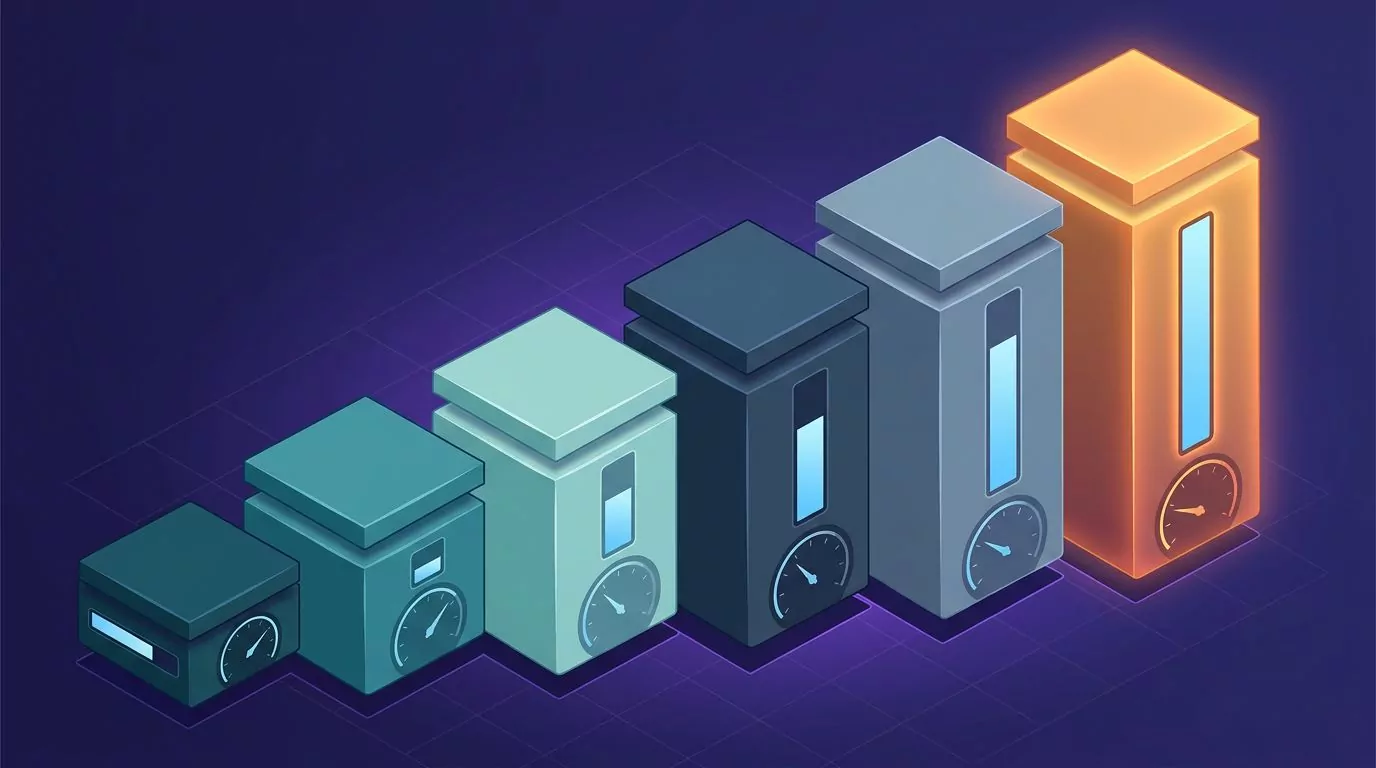
| Model | Parameters | Download size | VRAM needed | Relative speed |
|---|---|---|---|---|
| tiny | 39 M | About 75 MB. | About 1 GB. | About 10x. |
| base | 74 M | About 142 MB. | About 1 GB. | About 7x. |
| small | 244 M | About 466 MB. | About 2 GB. | About 4x. |
| medium | 769 M | About 1.5 GB. | About 5 GB. | About 2x. |
| large | 1550 M | About 2.9 GB. | About 10 GB. | 1x. |
| turbo | 809 M | About 1.6 GB. | About 6 GB. | About 8x. |
Three things to read out of that table.
The tiny and base models fit anywhere and are fast, but they drop words on accented speech, cross talk and technical vocabulary. Most people who try Whisper once, judge it harshly and leave were running base on CPU.
The large model is where the quality lives, and it wants roughly 10 GB of VRAM. On a laptop with no discrete GPU, that means CPU inference measured in minutes per minute of audio, not seconds.
Turbo is the interesting one. It is an optimised version of large v3 that the repo describes as faster with minimal accuracy loss, at about 6 GB and roughly eight times the speed of large. The catch is stated plainly in the repo: turbo is not trained for translation. If you need speech in one language turned into English text, pick a multilingual model instead.
The tiny and base sizes also explain the tiny and base English-only variants. Adding .en to a model name gives you an English-only build that is usually a little better on English audio at the same size.
Where a Local Whisper Setup Actually Breaks
None of the pages ranking for this query tell you how it goes wrong. Here is the honest list, in roughly the order people hit them.
ffmpeg is not on the path. The single most common first run failure. Whisper shells out to ffmpeg, and if it cannot find it the error looks like a missing audio file. Install ffmpeg, open a fresh terminal, and try again.
The torch and CUDA versions disagree. On Windows and Linux boxes with an NVIDIA card, a mismatched PyTorch build quietly falls back to CPU, or crashes on the first tensor. The symptom is that transcription runs but takes forever. Check that torch reports a working GPU before you blame the model.
The first run stalls on a download. Whisper fetches model weights on first use. A large model is nearly 3 GB. On a slow connection this looks like a hang, and stopping it halfway leaves a partial file that fails oddly on the next attempt.
CPU is much slower than the videos. Demo clips are almost always recorded on a GPU. On CPU with a mid-sized model, a one-hour recording can take longer than an hour. This is the single biggest gap between expectation and reality.
It invents text during silence. Whisper is a generative model, so long pauses, music beds and dead air can produce confident sentences that were never spoken. Voice activity detection helps, which is exactly why WhisperX runs it first.
Timestamps drift on long files. Whisper produces segment-level timestamps that can slide over the length of a long recording. If you are cutting subtitles, that drift is visible. Word-level alignment through WhisperX is the usual fix.
There are no speaker labels. Out of the box, a two-person conversation comes back as one undifferentiated block. Diarisation is a separate model and a separate step.
None of these are fatal. All of them cost an evening the first time. If your current problem is that dictation has stopped working on a machine that used to be fine, our desktop triage guide for voice typing covers the operating system side of the same class of problem.
The Fork Nobody Names: Batch Files Versus Live at the Cursor
Here is the part that decides your answer, and no page on this search result page says it out loud.
Whisper, whisper.cpp, faster-whisper, WhisperX, the hosted APIs and MacWhisper all do the same shape of job. You give them audio that already exists. They give you a transcript. The unit of work is a file.
That is a completely different job from the one most people mean when they say they want to talk instead of type. That job is: the cursor is blinking in a Slack reply, or a commit message, or a Jira ticket, and you want your sentence to appear there, punctuated, without a detour through a transcript window and a copy paste.
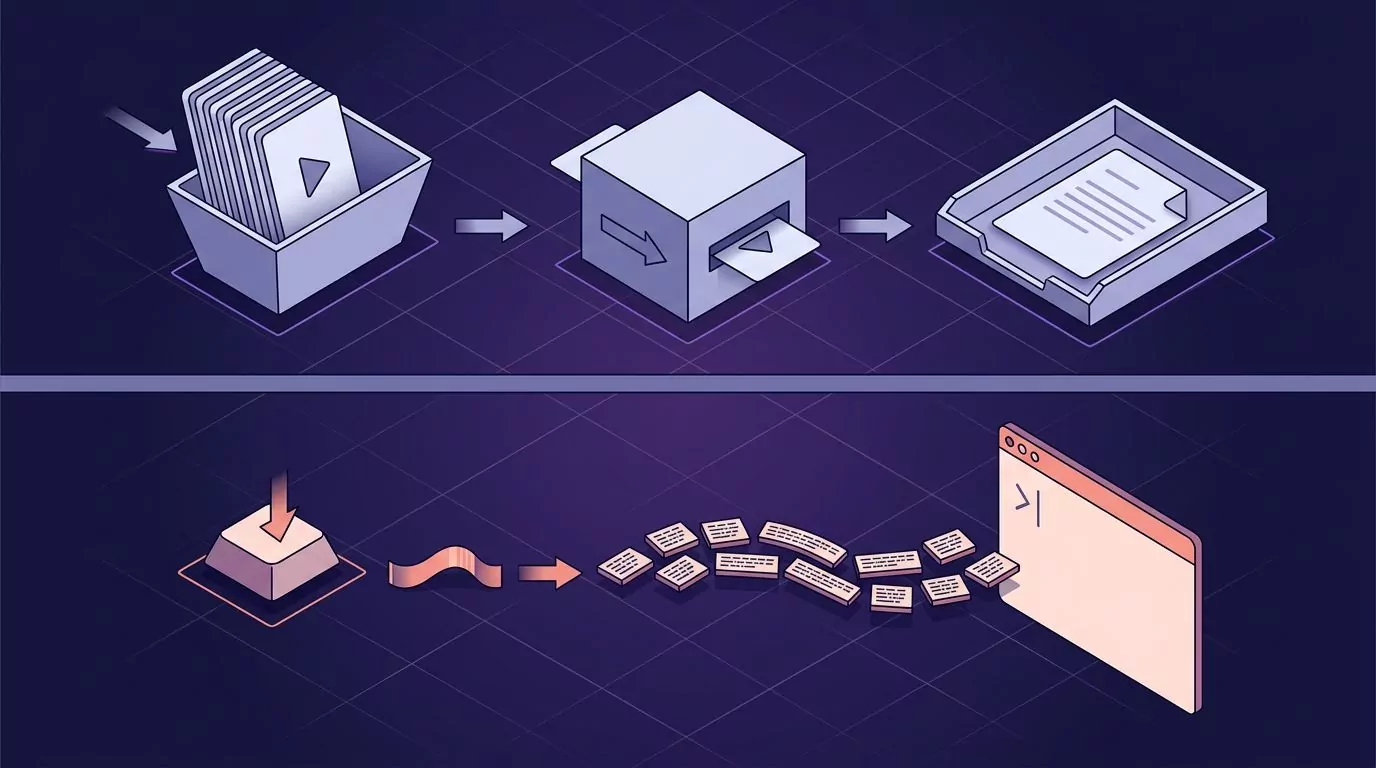
The batch route can be forced into that shape, and people do force it. You bind a hotkey to a script, record to a temp file, run the model, then push the text to the clipboard and send a paste keystroke. It works. It also means you own a small pile of glue code, and you notice every part of it that breaks: the record stop timing, the clipboard clobbering what you had copied, the model loading from cold each time.
Where the text lands is the real product decision, and it is why comparing these tools on monthly price alone is close to meaningless. The questions worth asking are behavioural.
- Does it punctuate, or hand you an unbroken run of lowercase words?
- Does it insert at the cursor, or make you switch windows and paste?
- What happens to "um" and "you know"? Are they removed, or faithfully transcribed?
- Does the app you were in keep focus while you talk?
- Where does the text go afterwards, and can you find it again next week?
- What happens to the audio once the text exists?
This is the gap VoiceSnap Pro is built for. You put the cursor in any text field on macOS or Windows, hold your chosen shortcut, speak, and release. The text appears at the cursor with capitalisation, punctuation and paragraph breaks, and filler words like "um" removed. The app you were using never loses focus. Every dictation is also saved as a note, tagged with the app and the time, and the whole library is searchable by any phrase you actually said. Audio is transcribed and then discarded, so only text remains.
What it does not do is worth stating just as plainly. It is not a file transcription tool, so it will not take the archive of interviews on your drive. It does not record or transcribe meetings and calls. It does not keep audio, so there is nothing to play back. And it is currently pre-launch, so what you can join today is a waitlist, with early access at $39 one time. That is early access pricing, not confirmed long term pricing.
For a wider look at how insert-at-the-cursor tools compare with upload-a-file tools across platforms, our overview of talk to text on the desktop walks through the same split with different examples.
Whisper AI Alternatives Compared: Route, Setup, Offline Use and Where the Text Lands
The table below compares routes rather than brands, because that is the choice you are actually making. Costs are the vendors' listed prices at the time of writing.
| Route or tool | What it actually is | Setup effort | Runs offline | Batch or live at cursor | Cost |
|---|---|---|---|---|---|
| Raw Whisper (Python) | The reference code and weights. | High. Python, torch, ffmpeg. | Yes. | Batch. | Free. You pay in hardware. |
| whisper.cpp / faster-whisper | Optimised rebuilds of the same model. | Medium. Build or pip, then models. | Yes. | Batch. | Free. You pay in hardware. |
| Hosted API (Groq, Deepgram, AssemblyAI) | Someone else runs a model for you. | Low. An API key and some code. | No. | Batch or streaming. | $0.04 to $0.21 per hour of audio. |
| MacWhisper | A Mac app around Whisper models. | Low. Install and drop a file in. | Yes, with local models. | Batch first. | Free tier. One time Pro licence. |
| Superwhisper | A dictation app with model choices. | Low. Install, pick a model. | Yes, best on Apple Silicon. | Live at cursor. | Free tier. Pro $8.49 a month. |
| OpenWhispr | Open source dictation, local or cloud. | Low to medium. Pick a model size. | Yes, with local models. | Live at cursor. | Free for local use. |
| Voicy | A cloud dictation app. | Low. Install and sign in. | No. | Live at cursor. | $8.49 a month or $260 lifetime. |
| VoiceSnap Pro | Hold to talk dictation plus a notes library. | Low. Shortcut and mic access. | Not stated. | Live at cursor. | $39 one time, early access. |
Read down the "batch or live" column first. It splits the list more sharply than price does, and it is the column that tells you whether a tool can do the job you had in mind.
What Whisper Still Does Better Than Anything You Would Pay For
It would be easy to end here with a list of reasons to buy something. That would be dishonest, because for a real set of jobs raw Whisper is still the right answer.
It is free at the point of use. Not trial free. Free. Transcribe 400 hours of archive audio and the bill is your electricity. No per-minute meter runs while you work.
The weights are yours. You can pin a version, keep it, and get the same output in three years. No vendor can deprecate your model, change its behaviour under you or price you out.
It runs with no network call at all. Not "we do not store your data". Genuinely offline. On a disconnected machine, in a locked-down environment, on a plane. Very few commercial tools can make that claim without an asterisk.
It covers a lot of languages. Whisper was trained on multilingual, multitask data and handles far more languages than most consumer dictation apps advertise, plus translation into English on the non turbo models.
It is auditable. The code and the weights are public. If you need to explain to a security review exactly what happens to the audio, you can point at a repository instead of a marketing page.
Bulk work is where it wins outright. A back catalogue of podcasts, a folder of recorded interviews, three years of lecture recordings: run it overnight on your own machine and pay nothing per file. Nothing on the paid list beats that on cost.
If any of those six lines describes your situation, stop reading comparison pages and go set up whisper.cpp.
How to Choose a Whisper AI Alternative in About Five Minutes
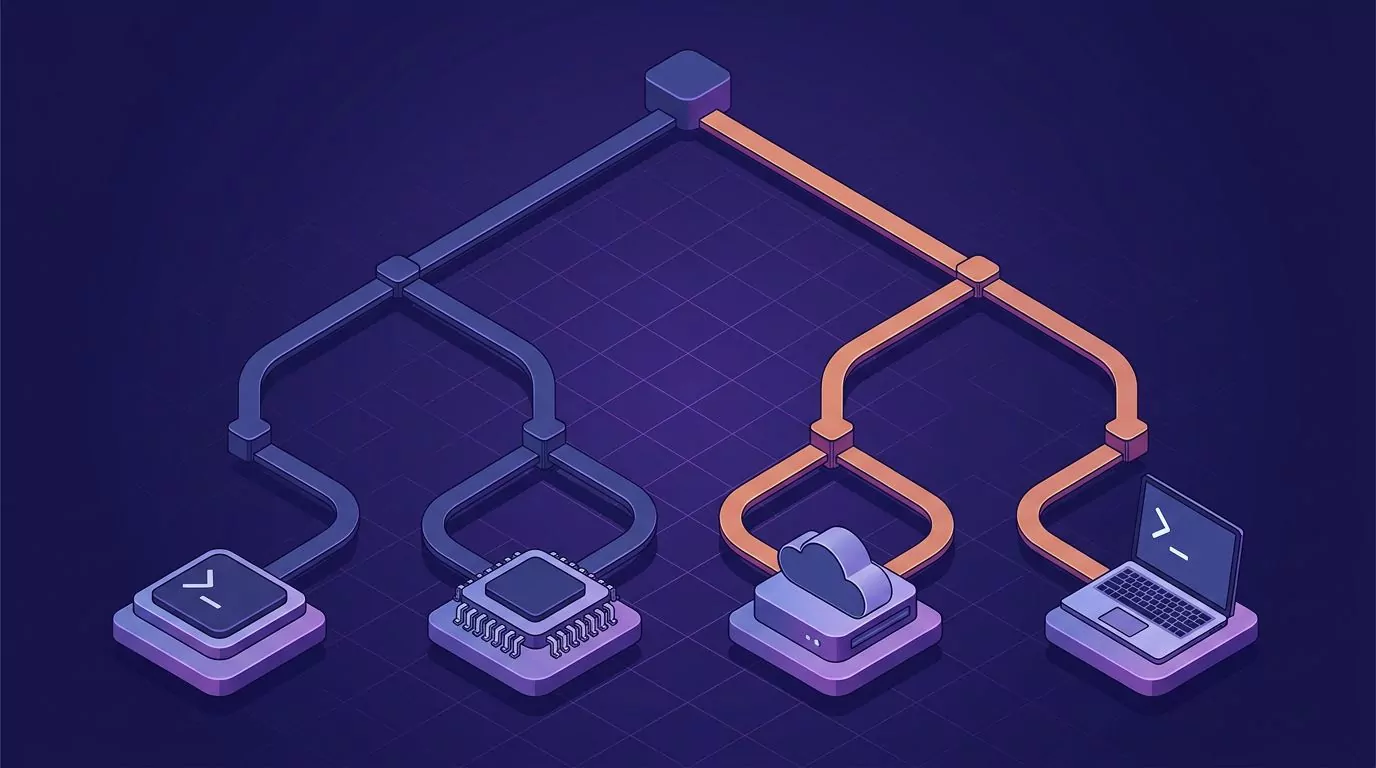
Work through these in order. The first "yes" is your answer.
- Do you need words to appear in an app while you work? Then you need a dictation app, not a transcription pipeline. Look at Superwhisper, OpenWhispr or VoiceSnap Pro. Nothing in the Whisper repo does this.
- Do you have a pile of existing audio files? Then you need batch transcription. whisper.cpp locally, or MacWhisper if you would rather not use a terminal.
- Are you building this into a product? Then compare hosted APIs on latency, streaming support and billing model, not just headline rate. Watch for socket-time billing on streaming.
- Must the audio never leave the machine? Then local only, and check the model size table above against your actual RAM and VRAM before you commit.
If you are on a Mac and want the same walk through with specific apps and permission dialogs, our roundup of the best dictation software for Mac is the companion piece. Windows users looking at the built in option first should start with what Win+H actually does.
Frequently Asked Questions
Is Whisper AI free?
The model is free. OpenAI released the weights and the inference code under an open licence, so you can download and run them at no cost. Running them is not free in practice, because you pay in hardware, electricity and setup time. OpenAI's hosted version of Whisper is a separate paid service billed per minute.
Which AI is best for transcribing audio?
For files you already have, Whisper large v3 running locally through whisper.cpp or faster-whisper is very hard to beat on cost, and turbo gets you most of the quality much faster. For production APIs, Deepgram and AssemblyAI both publish their own models with streaming support. There is no single winner, because "best" changes with your audio, your language and your budget.
What is the best free tool for speech to text?
For batch transcription, whisper.cpp is free, runs offline and works on almost any hardware. For dictation into apps, OpenWhispr is free for local use and open source. Your operating system also ships something: Windows has Win+H, and macOS has built in dictation. Both are free and both stop short of the punctuation and history that dedicated tools add.
Can Whisper run offline?
Yes, completely. Once the model file is downloaded, transcription makes no network call at all. That is one of Whisper's genuine advantages over every hosted service. Note that a desktop app which "uses Whisper" may still send audio to a server, so check whether it loads models locally or calls an API.
Is faster-whisper the same as Whisper?
Same model, different engine. faster-whisper reimplements Whisper inference on CTranslate2, and its README reports up to four times the speed at the same accuracy on the benchmark described above. You load the same model sizes and get comparable output. whisper.cpp does the same thing in C and C++.
Does Whisper work as live dictation?
Not on its own. The reference implementation reads an audio file and writes a transcript. People do build live dictation on top of it by scripting a hotkey, a recorder and a paste step, and several desktop apps ship exactly that as a product. If you want hold to talk dictation, pick one of those apps rather than the raw model.
Do I need a GPU to run Whisper?
No, but it changes everything about the experience. The tiny and base models run comfortably on CPU. Medium and large on CPU can take longer than the recording itself. Apple Silicon Macs do notably well through whisper.cpp with Metal, so a modern Mac is a better CPU story than the raw numbers suggest.
Where to Start
Answer the batch versus cursor question first, and most of this list disappears. If your problem is a folder full of audio, the open model is genuinely the best deal available and you should spend the evening on whisper.cpp. If your problem is that typing the same kind of message forty times a day is slowing you down, no transcription pipeline is going to fix that, however good the model behind it is.
Developers weighing this up for writing code specifically will find the honest limits in our piece on what voice coding actually does well. Dictating prose and dictating syntax are not the same task.
If you like the idea of holding one key on both your Mac and your PC, having the text land where your cursor already is, and finding every sentence you dictated later by searching for a phrase from it, you can join the VoiceSnap Pro waitlist for early access at $39 one time.