What Is an MCP Server? What It Exposes, What Stays Local, and What to Check Before Turning One On
An MCP server is a small program that lets an AI app like Claude Desktop, Cursor or VS Code use another system through the open Model Context Protocol. It offers tools the model can call, resources it can read and prompts you can pick. It runs on your computer or a remote server, and its permissions decide what it sees.
That answers "what is an MCP server" in three sentences, and it is the MCP server meaning most guides stop at. This one follows the data instead: what a server can see, what leaves your computer, and how to check each point before you switch one on.
The worked example is a real, documented server that lets Claude Desktop search your own notes, the kind of searchable personal archive many people now keep. By the end, you will have a checklist with a way to verify every item.
What is an MCP server, and why is "server" a confusing word?
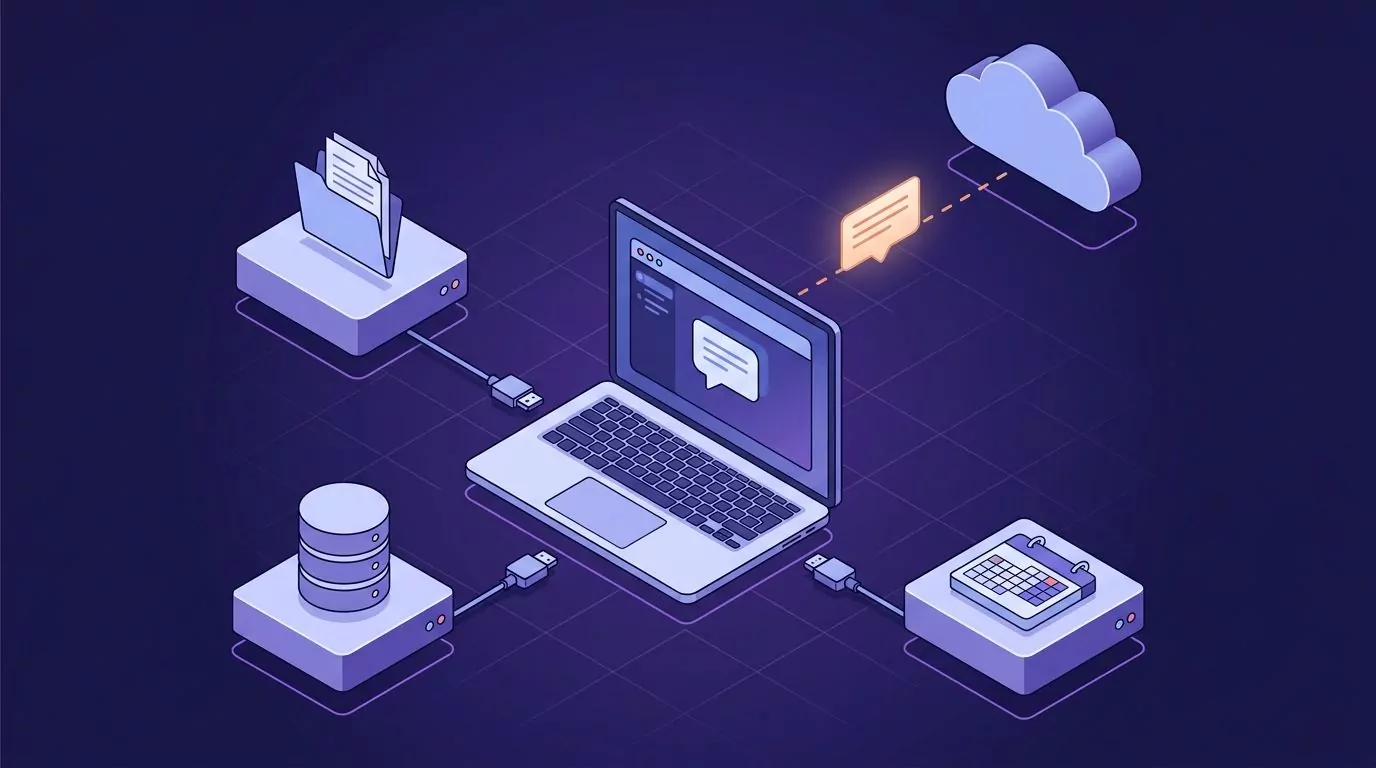
MCP stands for Model Context Protocol. It is an open set of rules for how AI apps talk to outside systems: your files, a database, a calendar, a notes app. Three different things tend to share the name, and it helps to pull them apart.
- The protocol is the rulebook. It says how to ask what a server offers and how to call it.
- The server is one program that follows the rulebook on behalf of one system.
- The host is the AI app you actually talk to, such as Claude Desktop.
So what is the difference between MCP and an MCP server? MCP is the language, and a server is one program that speaks it for one system. When people say "install the GitHub MCP," they mean a server, not the protocol.
The word "server" makes most people picture a rack in a data center. A local MCP server is usually nothing like that. It is a program your AI app starts on your own machine, often when the app opens, and stops when you quit.
Is an MCP server a real server, then? In the software sense, yes: it waits for requests and answers them. In the "machine in a building" sense, often no, though some do run in a data center.
Anthropic introduced MCP in November 2024 as an open standard. On December 9, 2025, Anthropic donated MCP to the Agentic AI Foundation (AAIF), a directed fund under the Linux Foundation.
Hosts, clients and servers: who does what
The MCP architecture docs name three roles. In practice there is a fourth party you should never forget: the company that runs the model.
- Host: the AI app you use. It runs the chat, shows approval prompts and decides what goes to the model.
- Client: a connector the host creates, one per server. You rarely see it.
- Server: the program that exposes one system.
- Model provider: the company behind the model. It sees whatever the host puts in the chat.
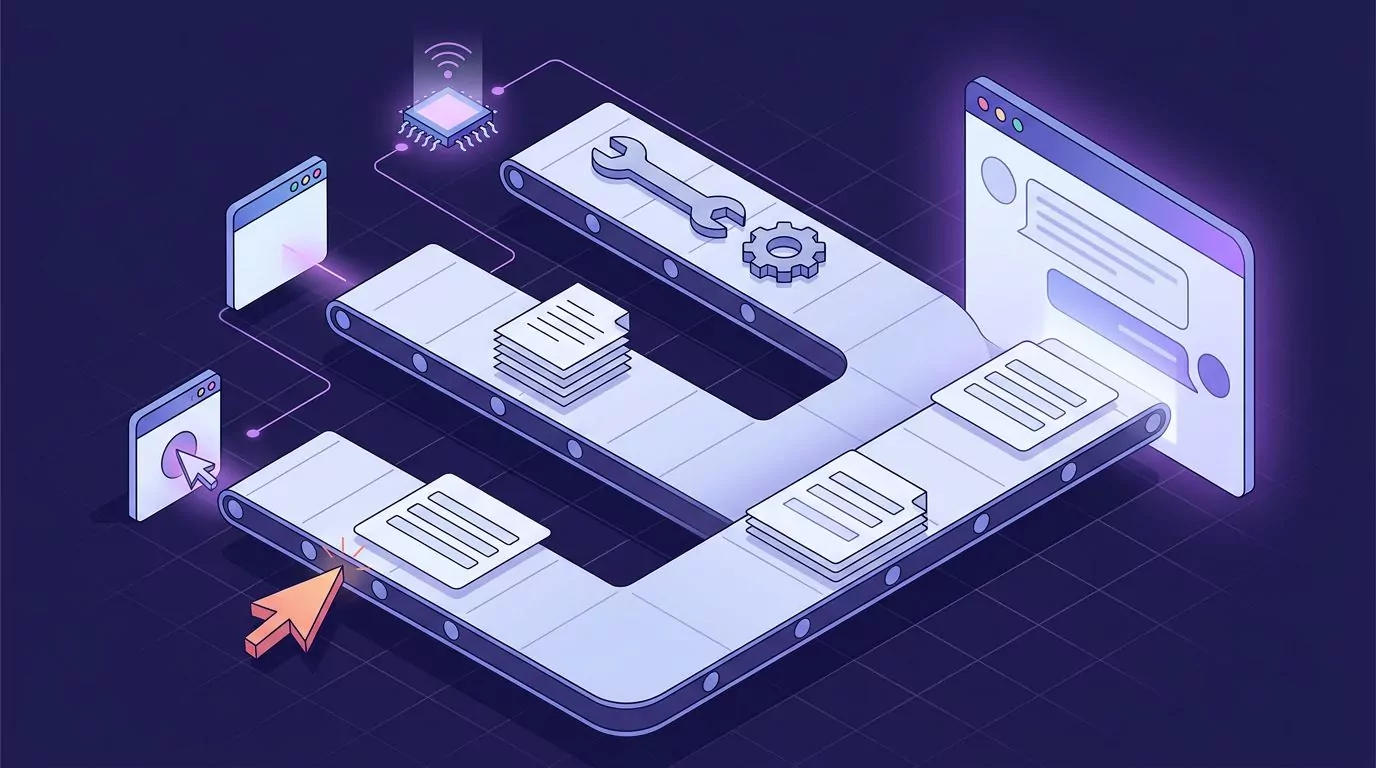
How do MCP servers work from there? The host asks each server what it offers and shows that list to the model. When the model picks a tool, the host runs the call through that server's client and puts the result back into the chat.
| Role | Example | What it can see |
|---|---|---|
| You | The person typing or talking. | Everything on your screen. |
| Host | Claude Desktop, VS Code, Cursor. | Your chat, the tool list and every tool result. |
| Client | One connector per server, inside the host. | The messages between the host and one server. |
| Server | A notes, files or database server. | The system it was built to reach, within its permissions. |
| Model provider | Anthropic, for Claude Desktop. | What the host sends: your question plus any tool results. |
Many developers connect servers to coding tools such as Cursor and VS Code. Those are the same tools many people now talk to by voice instead of typing prompts.
What a server exposes
The server concepts page groups what a server offers into three building blocks. Each one has a different trigger. That trigger tells you who is in control.
Tools: actions the model decides to call
Tools are actions: search, read, create, send. They are model controlled, which means the model picks when to call one based on what you asked. That is why good hosts show an approval prompt before a call runs.
A server can label its tools with hints such as readOnlyHint or destructiveHint, and the host may show them to you. Treat those labels as claims. The spec's tools page says clients must treat them as untrusted unless they come from a trusted server.
Resources: data the app attaches
Resources are data the host can attach to the chat as context: a file, a record, a schema. They are app driven. The host decides when and how to include them, often through a picker you click.
Prompts: templates you choose
Prompts are ready-made templates, like "summarize my week." They are user controlled: you pick one, often by typing a slash in the chat box. Nothing happens until you do.
What a server can ask of you
A server can also pause and ask you for something, like a name or a yes or no. This is called elicitation. In the current spec, the server replies that it needs input, the host asks you, and then the request runs again with your answer.
The same revision, dated 2026-07-28, deprecated three older features: Roots, Sampling and Logging. They keep working for at least 12 months, but new servers should not rely on them.
One practical effect matters to you: do not count on Roots to limit which folders a server sees. The server's own setup sets its scope.
| Building block | Who triggers it | Example | What to check |
|---|---|---|---|
| Tool | The model. | Search notes, create an issue, send an email. | Can it write or delete? Does the host ask before each call? |
| Resource | The host app. | A file or a database record. | Which data can it attach, and is that automatic? |
| Prompt | You. | A "summarize my week" template. | What the template tells the model to do. |
| Elicitation | The server, through the host. | Asking for a username or a yes or no. | What you are typing, and who receives it. |
Local vs remote MCP servers
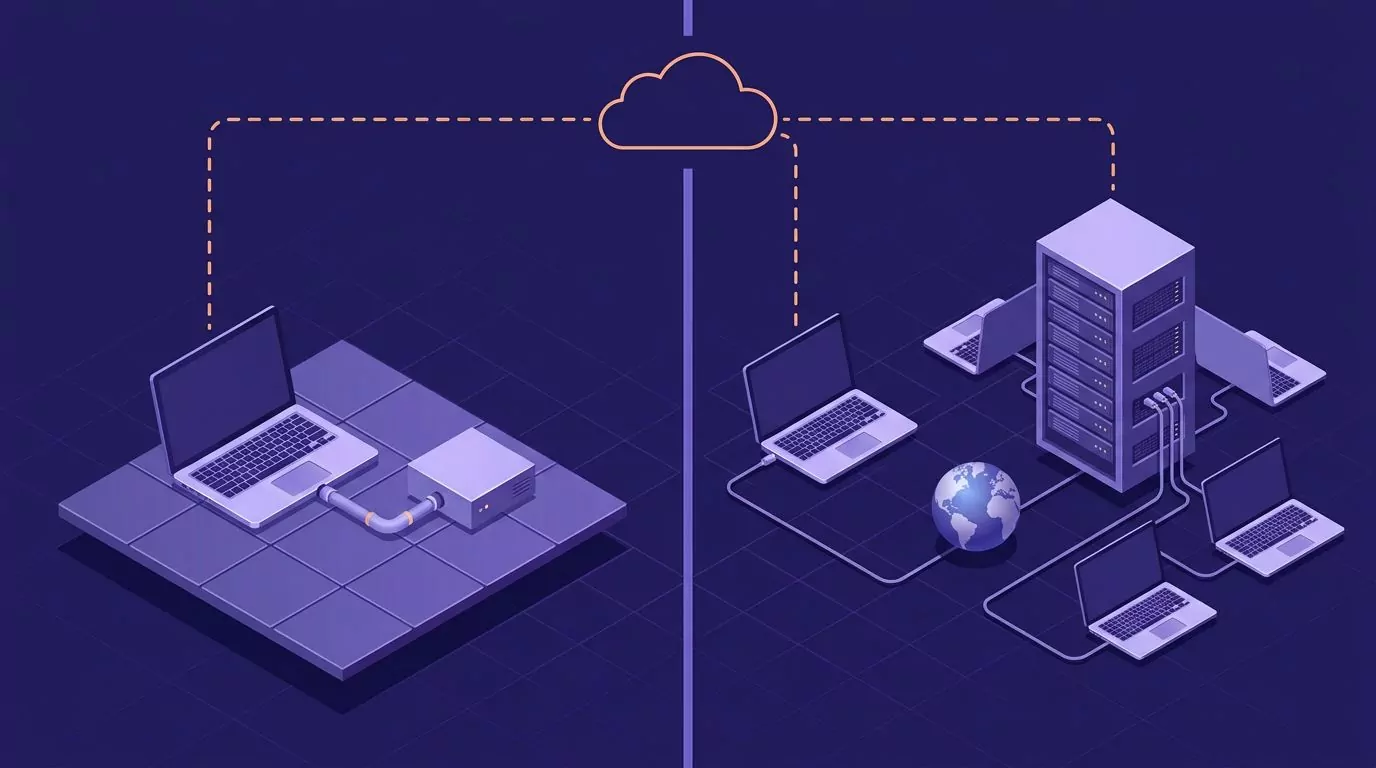
A local MCP server runs on your computer. The host starts it as a process and talks to it over standard input and output, called stdio. It usually serves just that one host.
A remote MCP server runs on a vendor's machines. The host reaches it over the web using a transport called Streamable HTTP. You usually sign in with OAuth in a browser window, and the same server serves many users.
| Question | Local server | Remote server |
|---|---|---|
| Where does it run? | On your computer, started by the host. | On the vendor's servers. |
| Does it go online? | Only if its own code does. | Always, by design. |
| How do you sign in? | Usually no sign-in. It runs as you. | Usually OAuth, in a browser window. |
| How do you turn it off? | Remove the entry and restart the host. | Disconnect it in the host and revoke access in the vendor's account. |
| What can a vendor log? | Nothing, unless the server sends data out. | Every request it gets, under the vendor's terms. |
| Where does your data end up? | With the model provider, as tool results. | With the vendor and the model provider. |
The last row is the one most guides skip. "Local" describes where the server runs, not where your data ends up. The host still sends tool results to its model provider, because that is how the model reads them.
The same two questions apply to speech recognition, where cloud and on-device processing decide whether your audio leaves the machine at all. With MCP, ask both: where does the server run, and where does its output go?
A worked example: a local, read-only server that lets Claude Desktop search your notes
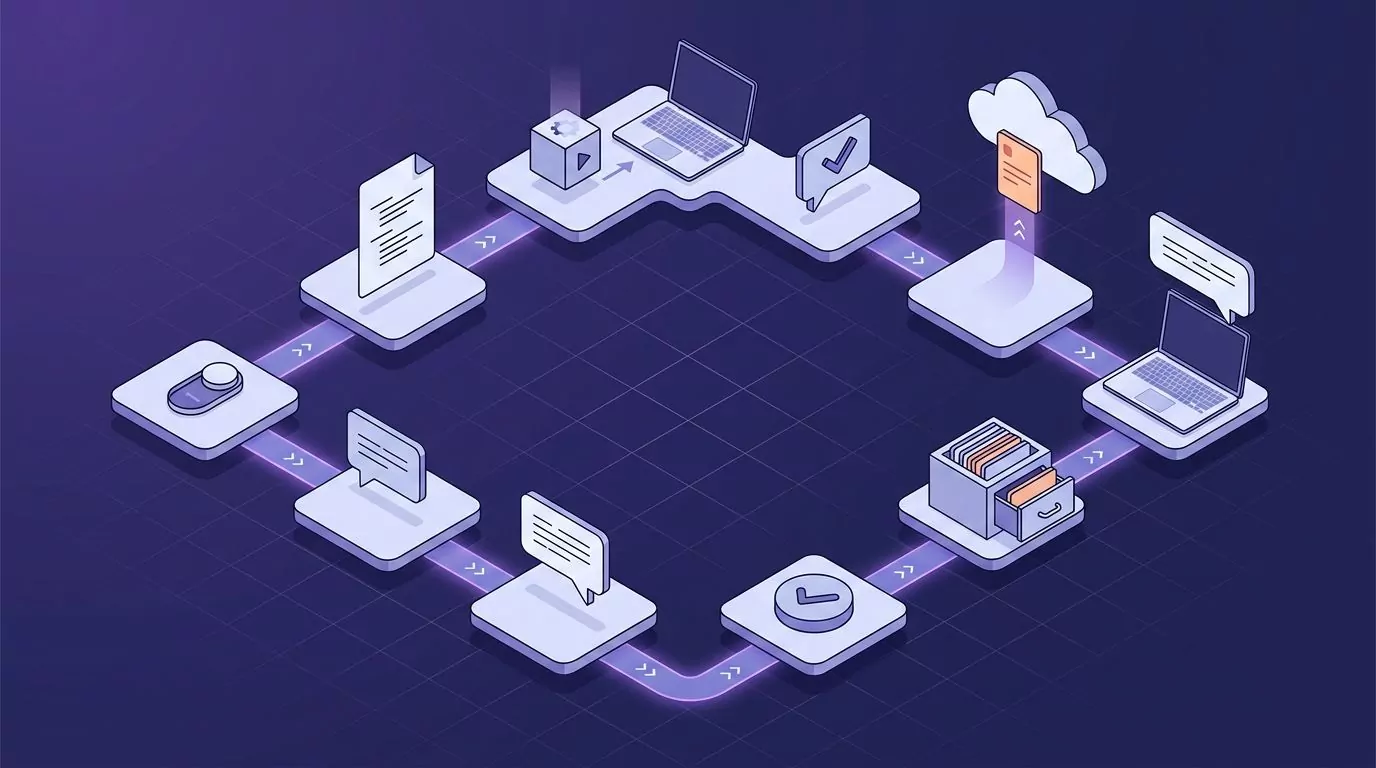
Here is the full data path for a local, read-only server, step by step. Each step names who acts. The pattern is the same for any Claude Desktop MCP server that reads local data.
- You switch the feature on in the app that holds the data.
-
You add the server's entry to the host's config file and restart the host. For Claude Desktop, that file is
claude_desktop_config.json, opened from Settings > Developer > Edit Config. - The host starts the server as a local process and talks to it over stdio.
- You ask a question, like "what did I note about the pricing call on Tuesday?"
- The model decides to call the server's search tool. The host may ask you to approve the call.
- The server reads the data already on disk and returns only the matching text.
- The host sends that text, with your question, to the model provider as part of the chat.
- The answer comes back to the host, and you read it.
Claude Desktop runs on macOS and Windows. The config file lives in ~/Library/Application Support/Claude/ on a Mac and in %APPDATA%\Claude\ on Windows. The local server tutorial shows the whole flow.
An entry looks roughly like this. It is an illustration only, with a placeholder path. Do not paste it as is.
{
  "mcpServers": {
    "notes": {
      "command": "/path/to/notes-app",
      "args": ["--mcp"]
    }
  }
}
Newer versions of Claude Desktop can also install local servers as one-click extensions, as the Claude Help Center explains. Either way, a local program ends up running on your machine.
One real example is VoiceSnap Pro, a dictation and voice notes app for Mac and Windows with a small read-only MCP server built in. It is part of every account, free or Pro. You turn on "Let AI assistants read my notes" under Settings > AI assistants on each computer, then press "Copy setup for Claude Desktop", paste it into Claude Desktop's config and restart it, as the notes library docs show step by step.
Once it is on, the assistant can look for notes by keyword, exact phrase or tag. It can see what you wrote most recently and which tags you use, and open a single note to read all of it. Those notes are often spoken in the first place, as in a brain dump done by talking.
What the assistant never receives
- Recordings. Voice notes keep their audio in your account, for as long as your Keep recordings setting says. The MCP server never hands it over. It shares text only, with a few details like dates, language and tags.
- Anything in the Trash.
- Notes no tool call asked for. The assistant gets what a search, list or read returns, not your whole library in one go.
- Dictation history, unless you also turn on "Also let them read my dictation history" and restart the assistant.
One more fact keeps this honest. Separately from MCP, your notes and their recordings sync, encrypted, to your VoiceSnap Pro account so they show up on your other computers. The MCP read path itself runs on your computer and skips VoiceSnap's server.
What reaches the model provider
Exactly the text the tool returned, plus your question and the rest of the chat. For Claude Desktop, that provider is Anthropic. What happens next is set by Anthropic's own privacy terms, not by the app that holds your notes.
If words like "retained" and "discarded" in a provider's terms feel slippery, this guide to what zero data retention actually means breaks them down. Read the provider's policy yourself rather than trusting a summary.
What the server never does
It never writes, deletes or goes online. It cannot edit a note, remove one or empty the Trash. It reads the notes already on that computer and makes no network connections of its own.
When you turn the setting off, the assistant is told that sharing is off. And because VoiceSnap Pro dictation types into any text field, you can hold the shortcut and speak your question straight into Claude Desktop's message box, the same way you would talk to text anywhere else on your computer.
MCP server vs API, and MCP vs RAG
MCP vs API
An API is a way for one program to send requests to another, so before MCP each AI app needed custom code for each API it used. An MCP server wraps an API or a data store so any MCP host can discover it and call it the same way. Many servers are a thin layer over an API that already existed.
MCP vs RAG
RAG, short for retrieval-augmented generation, pulls relevant passages into the prompt so the model can answer from them. An MCP search tool is one way to retrieve on demand: the model asks for what it needs, when it needs it. They are not rivals, since a search tool can be the retrieval step in RAG.
| Term | What it is | Who uses it |
|---|---|---|
| API | A program-to-program interface. | Developers writing code. |
| MCP server | A wrapper that makes a system callable by any MCP host. | AI apps, on your behalf. |
| RAG | A pattern for adding found passages to a prompt. | AI apps, often through a search tool. |
What can go wrong when you connect one
MCP makes servers easy to plug in. It does not make them trustworthy. Three risks matter most for the person switching one on.
Prompt injection through returned content
Anything a server returns is untrusted input. A note, an email or a web page can contain text that reads like an order to the model. The model may follow it.
A read-only server limits the harm, because it gives the model nothing to write with. But if a second server with write tools sits in the same chat, injected text from the first can steer calls to the second. Keep risky pairs apart.
Untrusted servers and startup commands
A local server is a program that runs with your user permissions. It can do what you can do. The MCP security best practices page describes harmful startup commands slipped into config files, and bad code hidden inside servers.
The fix is boring and it works. Install servers only from publishers you trust. Read the command line in the config before you restart the host.
Over-broad permissions and "always allow"
Remote servers ask for access through scopes. The same security page calls for scope minimization: ask for the least access the job needs. A server that wants every scope up front deserves a second look.
The other trap is convenience: write tools plus "always allow" means nobody checks the next call. The spec says there should always be a human who can deny a tool call. Keep that human in the loop for anything that can send, change or delete.
A permissions checklist before you turn one on
Every row below has a way to verify it. If you cannot verify a row, treat the answer as "no" until you can.
| Check | What to look for | How to verify |
|---|---|---|
| Read only, or read and write? | Any tool that can create, change, send or delete. | Open the server's tool list in the host. In Claude Desktop, click the + button in the message box, then Connectors. Treat read-only labels as hints. |
| Local or remote? Does the server go online? | A local command, or a URL. | Read the config entry. A command and a path means local. A URL means remote. Then check the publisher's docs for network calls. |
| Which data, exactly? | Folders, accounts, history, recordings, deleted items. | Check the publisher's docs and the server's own settings. Scope comes from the server's setup, not from Roots. |
| Off by default? Per computer or account-wide? | A switch you must turn on, and where it applies. | Look in the app's settings on each computer you use. |
| Who publishes it, and what runs? | The publisher's name, and the exact command and arguments. | Read the command in the config file before you restart the host. Be wary of chained commands or downloads. |
| What do the provider's terms say? | Retention and training rules for chat data. | Read the model provider's own policy. Do not rely on a summary, including this one. |
| How do approvals work? | Approve each call, or always allow. | Watch the host's approval prompt on the first call. Keep write tools on per-call approval. |
| How do you turn it off and confirm it is off? | A clean way out. | Remove or disable the entry, restart the host, then check that the server no longer appears in the connector or tools list. |

Run the worked example through the list and every row has a checkable answer:
- Read only: search, list and read tools, and no way to edit or delete.
- Local and offline: the config entry is a local program, and it makes no network calls of its own.
- Data: note text, no recordings, no Trash, and dictation history only behind a second switch.
- Default: off, and turned on per computer.
- Publisher and command: the copied setup holds the exact path to the app's own program.
- Provider: Anthropic's terms apply to what Claude Desktop sends.
- Off switch: turn the setting off and the assistant is told sharing is off. Remove the entry too if you want it gone from the tools list.
Approvals are the one row the server cannot answer for you. They belong to the host, so watch the prompt on the first call.
Frequently Asked Questions
Are MCP servers safe?
They are as safe as the publisher, the permissions and your approvals. A local server runs with your user rights, and anything it returns can carry hidden instructions. Use servers from publishers you trust, prefer read-only ones and keep approval on for any tool that writes.
Does a local MCP server send my data to the internet?
The server itself may not. But the host sends tool results to its model provider, because the model has to read them. So a local server keeps the reading on your computer, while the matching text still travels to the provider as part of the chat.
Can an MCP server change or delete my files?
Only if it has tools that do so, and only with the access it was given. A file server with write tools can move or delete files within the folders you set, while a read-only server cannot. Check the tool list, and keep per-call approval on for anything that writes.
What are some examples of MCP servers?
Common MCP server examples include file system servers, database servers, GitHub servers, calendar servers and notes servers. The official servers repository holds a small set of reference servers, and the official MCP Registry lists servers from other publishers. You do not need to write code to use most of them: you add a config entry or install an extension.
Is MCP being replaced?
Nothing has replaced it. The spec keeps being revised: the 2026-07-28 revision made the protocol stateless and deprecated Roots, Sampling and Logging. MCP is now governed by the Agentic AI Foundation under the Linux Foundation.
Turn on only what you can check
An MCP server is a small program with a big say in what your assistant can see. Before you switch one on, know where it runs, what it can read, whether it can write and where its answers end up. Then verify each point, not just read the label.
If your own notes are what you want an assistant to search, you can try VoiceSnap Pro. Every new account can try every feature free with 5,000 transcribed words and 50 manual AI actions, given once with no expiry and no card required. Creating, editing and organizing notes has no free-plan cap. Pro is $9 a month for unlimited transcription and manual AI actions, subject to fair use, on up to 3 devices. Download free for Mac or Windows. Automatic AI titles, tags and reminders set by voice do not count as manual AI actions.