Willow Voice Alternatives for Mac and Windows: What Each One Does With Your Words
A Willow Voice alternative is a desktop app that does the same job: you hold a key, speak, and the words land at your cursor. The seven below split on three things you feel every day. How the text reaches the cursor. How much the app rewrites what you said. And what it keeps once the text has landed.
Willow Voice is a cursor dictation app. It is not a meeting recorder and it is not a file transcriber. So the fair comparison set is other hold to talk apps, plus the free dictation already sitting inside macOS and Windows.
Price is the easy part. What you live with is the gap between the key and the text, and whether the app leaves your commit message alone. Our guide to dictation software for Mac covers several of these tools from a Mac only angle.

What people are actually replacing when they leave Willow Voice
Three complaints come up again and again. None of them is really about price.
1. The wait between the key and the words. Cloud dictation sends your audio out, waits for a model, then types. On a good connection that pause is short. On a hotel network it is long enough that you start typing over it.
2. Cleanup that goes too far. Heavy rewriting is a gift in an email. It is a problem in a commit message, a shell command, or a variable name. Willow's smart formatting exists to reshape your text, and some people want the opposite.
3. Platform and price shape. Willow lists Pro at $15 per user a month, or $12 billed annually. Over three years that is real money next to a licence you buy once.
What Willow Voice does well
Willow Voice is good at the thing it sells. You put the cursor in a text box, hold the hotkey, speak, and formatted text appears. No second window and no paste step.
Smart formatting strips filler words and fixes punctuation. An auto learning dictionary remembers names, product terms, and abbreviations, so the same acronym stops coming back wrong. Style matching shifts tone between email, Slack, and docs.
It runs on Mac, Windows, and iPhone, wider coverage than most of this field. Its homepage states SOC 2 Type II, HIPAA compliance, zero data retention, and end to end encryption.
One nuance is worth checking. The pricing page lists "Enforced privacy mode (zero data retention)" as a Business plan feature, while the homepage states zero data retention as a general property. If retention is why you are buying, read both pages before picking a tier. Our explainer on zero data retention covers what the phrase commits a vendor to.
Seven Willow Voice alternatives, and what each one does with your words
Prices are as each vendor lists them today, so treat every figure as a starting point.
Wispr Flow
Wispr Flow is the closest like for like swap. It runs on Mac, Windows, iPhone, and Android, and it types wherever your cursor is with no plugin to install.
Cleanup sits at the heavy end. It strips filler words, adds punctuation, and shifts tone per app across formal, casual, and very casual styles. You can add your own vocabulary, and it picks up recurring names by itself.
The free plan gives 2,000 words a week on desktop. Pro is $15 per user a month, or $12 per user a month billed annually.
Superwhisper
Superwhisper is the one to look at if the audio has to stay on your machine. It runs local models on Mac, Windows, and iOS, and it works offline.
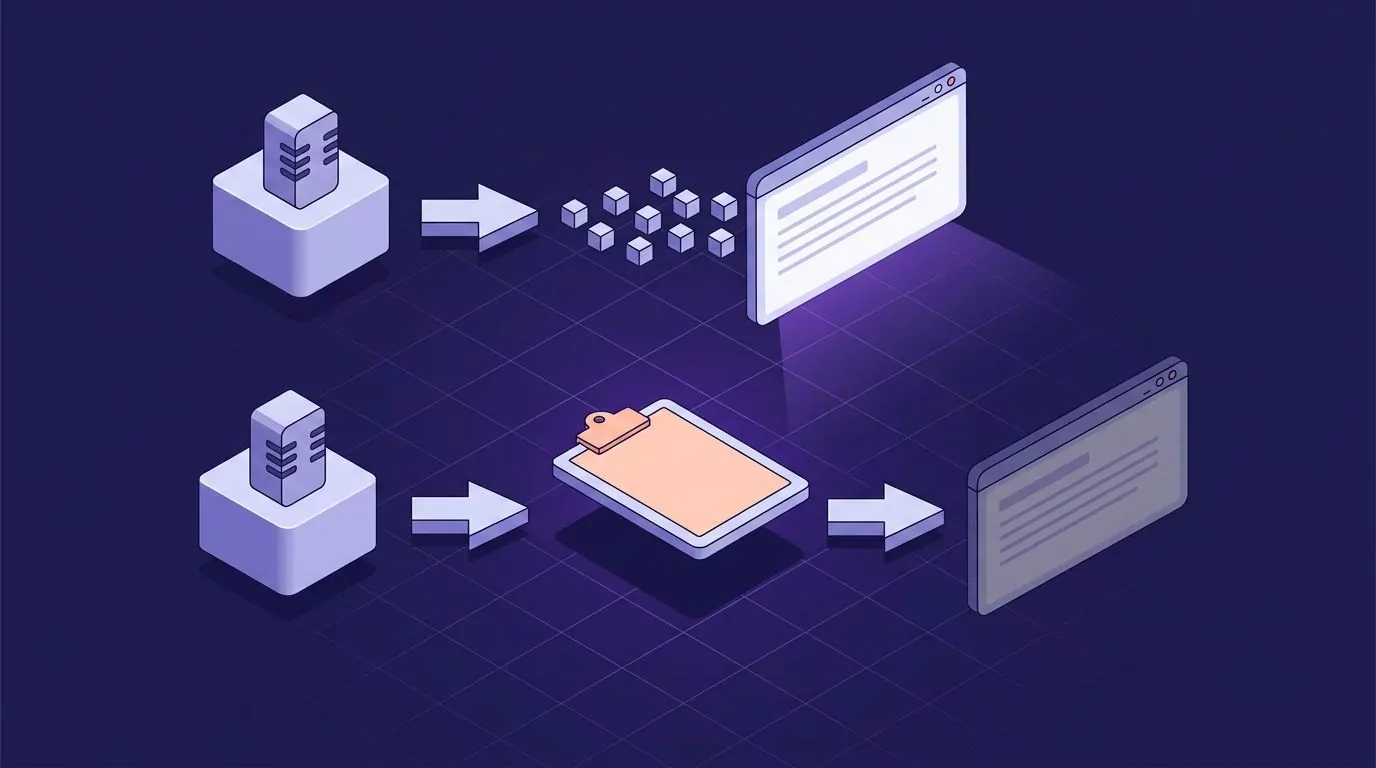
Its insertion path is different. Superwhisper puts the finished transcript on the clipboard and pastes it into the front app. That also overwrites your clipboard, and a paste can fail in apps that block synthetic paste events.
Pricing is a free tier, a Pro subscription, and a lifetime licence. The lifetime figure quoted around the web has drifted, so read their own site rather than a blog. We also have a piece on Superwhisper alternatives.
Aqua Voice
Aqua Voice runs on macOS, Windows, and iOS. On Mac you hold the space bar and speak. On Starter and Pro the finished text arrives as one block when you release. Live text as you speak is Realtime Mode, which Aqua sells on Max only.
Cleanup sits in the middle and you can steer it. Custom instructions set the writing style, and a refinement pass fixes grammar while leaving the content alone. Privacy Mode stores nothing on their servers.
Starter is free with 1,000 words. Pro is $10 a month, or $8 billed annually. Max is $30 a month, or $24 billed annually, and adds Realtime Mode and voice commands.
One claim deserves a flag. Aqua advertises "5x faster than typing", pairing 230 words a minute of speech with 40 words a minute of typing. No test conditions are published, so read that as marketing. Speaking is faster than typing for most people, and our piece on average typing speed has the general research figures.
MacWhisper
MacWhisper is a file transcription app first. Its job is turning lectures, podcasts, and recorded calls into text with local models, so files never leave the Mac.
It also ships a system wide dictation mode, and Pro adds higher quality dictation with automatic grammar improvement. That makes it a real option, with one large caveat: it is Mac only. If you move between a Mac and a Windows laptop, this is not your answer.
The free version is free forever. Pro is a one time licence listed at 64 euros with lifetime updates.
Apple Dictation and Windows Voice Typing, the free baseline
Before paying, try what you own. Apple Dictation lives under Apple menu > System Settings > Keyboard > Dictation. In supported languages it inserts commas, periods, and question marks as you speak.
Windows voice typing starts with the Windows key and H. Microsoft says it uses online speech recognition powered by Azure Speech services, so it needs a connection and a cursor in a text box. Wait for the "Listening..." alert before you speak.
Both stop in the same place. They toggle on and off instead of running while you hold a key, keep no history, and do not strip filler words. Our guides on dictating on a Mac and the Windows dictation shortcut cover where each runs out.
VoiceSnap Pro
VoiceSnap Pro is a Mac and Windows app built around one shortcut. You pick the key, say Fn, right Option, or Ctrl+Space. Hold it, speak, release, and the text appears at the cursor while the app you were in keeps focus.
Cleanup is deliberately mid range: capitalisation, punctuation, paragraph breaks, and filler words like "um" removed. There is no cleanup window to approve and no paste step.
Retention is where it differs most. Audio is transcribed and then discarded, with no recording kept and no playback. The text stays: every dictation becomes a note tagged with the app and the time, searchable by any phrase you said, and exportable as plain text or Markdown.
Price is $39 one-time early access via the waitlist. It is pre-launch, a real limitation covered below.
Willow Voice alternatives compared on insertion, cleanup and retention
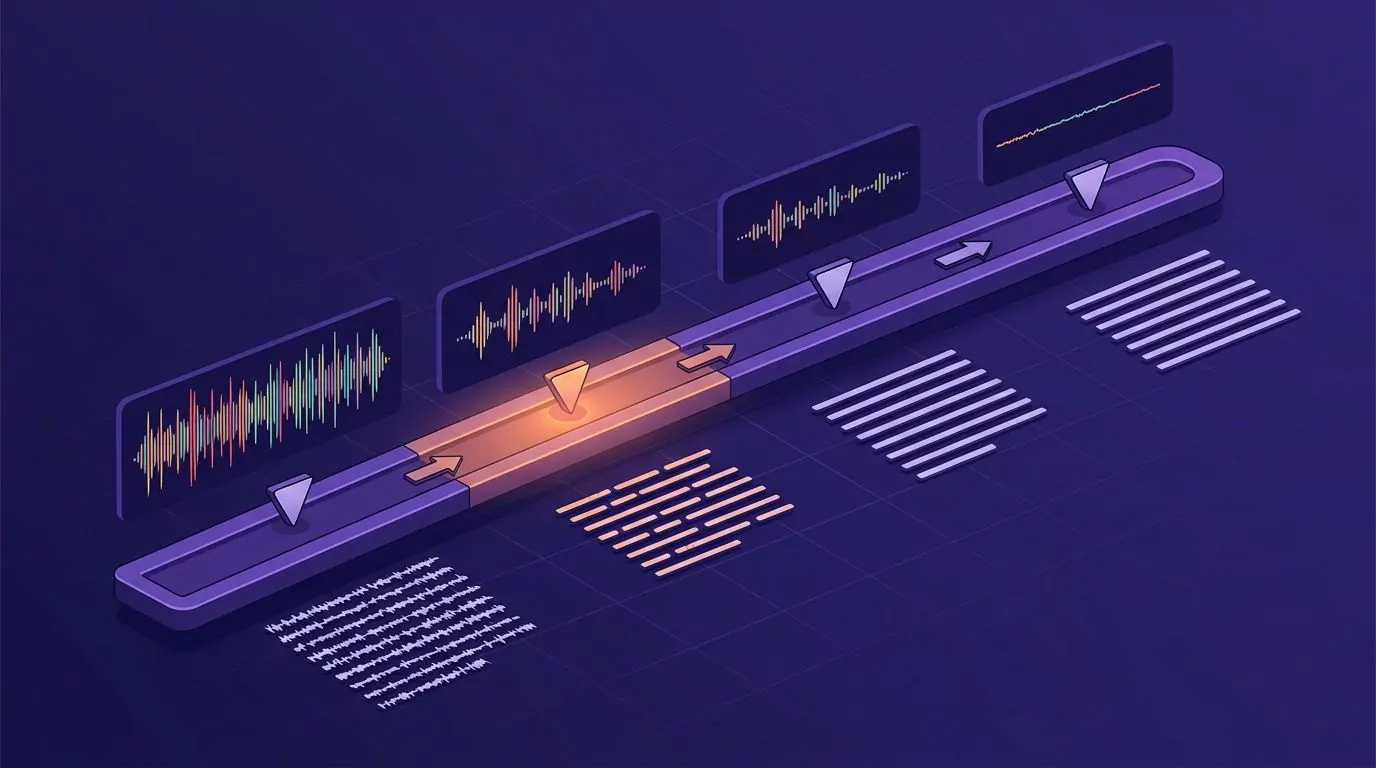
Read the three middle columns first. Price matters least.
| Tool | Platforms | How text reaches the cursor | Cleanup | Audio kept | Transcript kept | Price as listed |
|---|---|---|---|---|---|---|
| Willow Voice | Mac, Windows, iPhone | Hold a hotkey, inserted at cursor | High, with style matching | Vendor states zero retention | None published | Free Basic; Pro $15/mo, $12 annually; Business $35/mo |
| Wispr Flow | Mac, Windows, iPhone, Android | Types wherever your cursor is | High, tone shifts per app | Data sharing is a setting | History inside the app | Free 2,000 words a week; Pro $15/mo, $12 annually |
| Superwhisper | Mac, Windows, iOS | Pastes transcript into the front app | Adjustable by mode | Local models keep it on device | Local history | Free, Pro, lifetime; check the site |
| Aqua Voice | Mac, Windows, iOS | Hold a key, inserted at cursor; live text on Max only | Medium, steerable | Privacy Mode stores nothing | Not a notes library | Free 1,000 words; Pro $10/mo, $8 annually; Max $30/mo, $24 annually |
| MacWhisper | Mac only | System wide dictation mode | Pro fixes grammar | Yes, it works on saved recordings | Yes, transcripts are the point | Free forever; Pro 64 euros once |
| Apple Dictation, Win voice typing | macOS, Windows 11 | Types into the focused box | Low, punctuation only | Not stored | No | Free |
| VoiceSnap Pro | Mac, Windows | Hold a shortcut, inserted at cursor, app keeps focus | Medium, fillers removed | No, discarded after transcription | Searchable notes, text or Markdown | $39 one-time early access via the waitlist |

Real setup steps and the dialogs you will actually see
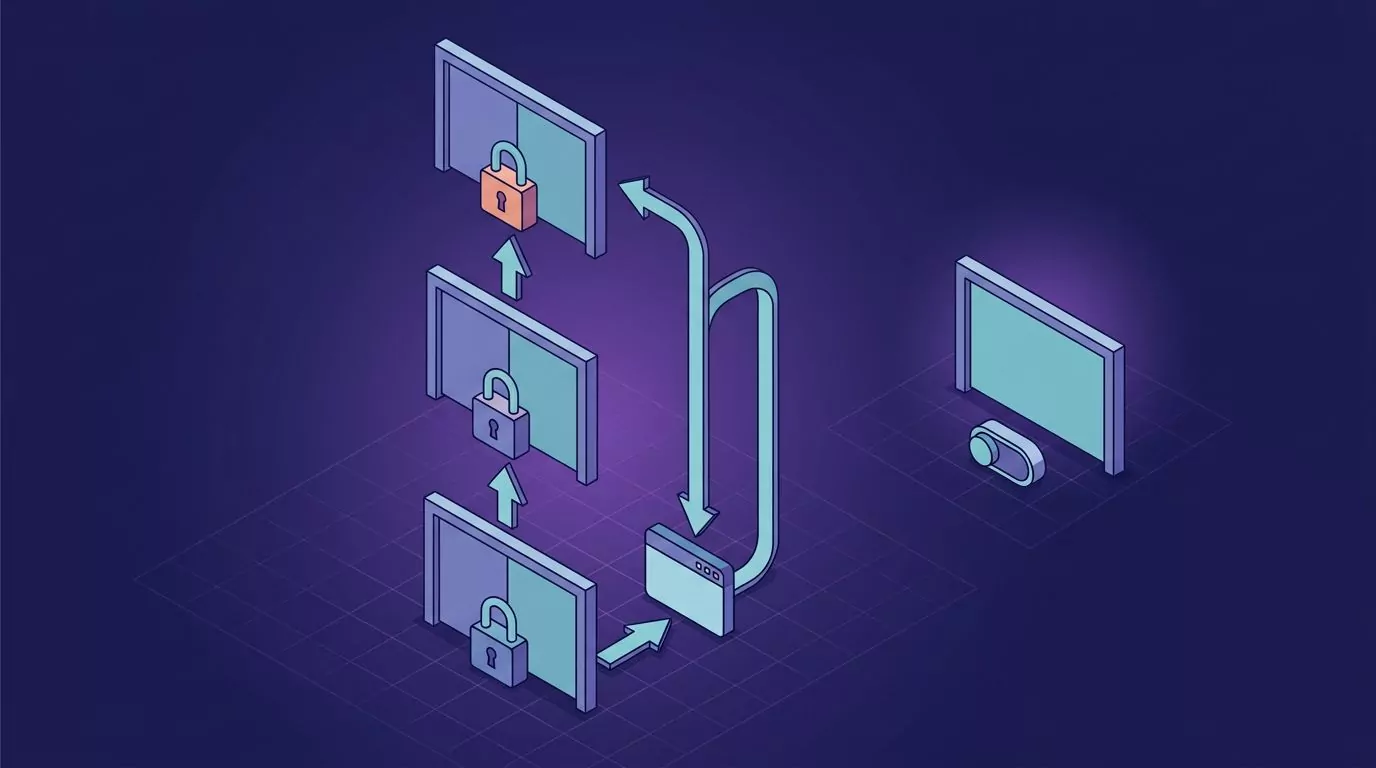
Every paid app here asks for permissions on first run. One macOS step trips people up enough that they assume the app is broken.
macOS: three separate permissions, in this order
- Microphone. The first launch shows an alert reading "… would like to access the microphone", plus the reason the developer wrote in. Apple requires that reason string, per the NSMicrophoneUsageDescription documentation. Click Allow. If you clicked Don't Allow by reflex, fix it in System Settings > Privacy & Security > Microphone.
- Accessibility. A hold to talk app puts characters into another app's text field, which needs an entry under System Settings > Privacy & Security > Accessibility. Apple's page on allowing accessibility apps walks the toggle. Unlock the padlock, switch the app on, then quit the app and open it again. This is the step people miss. The toggle looks right, but the running process still holds the old permission state, so nothing works until you relaunch.
- Input Monitoring. Listening for a held key outside the app's own window is a separate grant, under System Settings > Privacy & Security > Input Monitoring. Apple documents it on the control access to input monitoring page. Without it the shortcut does nothing, and no error tells you why.
Apple Dictation needs none of that.
Windows: the microphone privacy page and the per app list
- Open Start > Settings > Privacy & security > Microphone.
- Turn on Microphone access at the top. That is the device level switch and it overrides everything below it.
- Turn on Let apps access your microphone.
- Scroll to Let desktop apps access your microphone. Third party dictation apps are desktop apps, not Store apps, so this is the toggle that decides whether yours can hear you. Microsoft's page on camera, microphone, and privacy explains that split.
- Check the input device under Start > Settings > System > Sound > Input. A headset that is plugged in but not selected gives silence, and silence reads as a broken app.
Five ways hold to talk dictation fails, and the fix for each
Text lands in the wrong window. The app inserts into whatever has focus when you release, and a banner can steal focus mid sentence. Fix: click into the target field again right before you hold the key, and silence notifications while you dictate. On macOS a Focus mode does that in one switch.
The first word is missing. You get "commit message updated" instead of "the commit message updated". Tapping the shortcut instead of holding it opens the microphone after you start talking. Fix: hold the key for a beat before the first syllable, and pick a key you can hold, such as right Option, rather than a chord you assemble.
Nothing happens in an administrator window. On Windows a normal process cannot send input to a window running as administrator, so keystrokes are dropped in silence. Fix: run the dictation app as administrator too, or dictate into a normal window and paste. macOS has the same problem in secure input fields, where password and login boxes block injected keystrokes by design.
The shortcut collides with something. Ctrl+Space is already the input source switcher on many Macs, and Fn is bound to Dictation or the emoji picker by default. Fix: change the app's shortcut, or the system one. The dictation shortcut sits in System Settings > Keyboard > Dictation, and the input source shortcut is under Keyboard Shortcuts > Input Sources.
Cleanup rewrites a command. You say "git rebase dash i head tilde three" and get a polite sentence about rebasing. Aggressive formatters treat identifiers as prose. Fix: add the terms to the app's dictionary, and keep a plain mode for terminal work on its own shortcut. Our piece on voice coding and what actually works covers where dictation stops being right for code.
If none of that matches, the fault sits lower down the stack. We have a triage guide for voice typing not working, and Microsoft keeps a page for voice typing not working in Windows.
Honest limitations worth knowing before you switch
- VoiceSnap Pro is pre-launch. There is no downloadable build yet, and the $39 one-time early access buys a waitlist place. It is macOS and Windows only. Because audio is discarded after transcription, there is nothing to play back if a word came out wrong.
- Cloud tools need a connection. Willow, Wispr Flow, Aqua Voice by default, and Windows voice typing all send audio out. On a plane or a bad hotel network they slow down or stop.
- Local tools cost battery and disk. Superwhisper and MacWhisper run models on your machine. That is why they work offline, and why they are heavier.
- MacWhisper is Mac only and built around files first.
- Built in dictation keeps nothing. Apple Dictation and Windows voice typing give you no history, so a message you dictated and sent is gone.
None of them should be trusted for medical, legal, or regulated records without a human check. And no vendor on this page publishes an independent accuracy benchmark with its test conditions, so treat every accuracy claim here as a claim rather than a measurement.
How to choose a Willow Voice alternative in four questions
- Must the audio stay on your machine? If yes, that is Superwhisper or MacWhisper. Everything else here uses the cloud by default.
- Do you dictate code or commands? If yes, favour lighter cleanup and a custom dictionary. Heavy style matching will fight you all day.
- Need to find what you said last week? Then you need searchable history with export. Most of this field has none.
- Windows too, or Mac only? Mac only opens up MacWhisper. Needing both narrows it to Willow, Wispr Flow, Superwhisper, Aqua Voice, and VoiceSnap Pro.
For a broader start, talk to text on your computer walks the whole desk workflow.
Frequently Asked Questions
Is Willow Voice free?
There is a free tier. The Basic plan costs nothing and runs a lighter speech model called Frontier Mini, with limited personalisation and 20 Scribe uses a week. The stronger model sits on the paid plans.
What does Willow Voice cost?
Willow lists Pro at $15 per user a month, or $12 billed annually. Business is $35 a month, or $28 annually, and adds enforced privacy mode with zero data retention. Enterprise is quoted on request.
Does Willow Voice work on Windows?
Yes. Willow lists Mac, Windows, and iPhone support, with Android marked coming soon. Windows users also have Wispr Flow, Superwhisper, Aqua Voice, and VoiceSnap Pro, plus the free voice typing built into Windows 11.
Willow Voice or Wispr Flow: which one fits better?
They are close. Both insert at the cursor, both clean up heavily, and both list Pro at $15 a month, or $12 billed annually. Wispr Flow adds a free tier of 2,000 words a week and covers more platforms. Willow leans harder on style matching. Run both free tiers through the same week of real work.
What happens to your audio after it is transcribed?
It depends on the tool. Local tools such as Superwhisper and MacWhisper can process audio on your machine, so nothing leaves it. Cloud tools send audio to a server and apply their own retention policy, worth reading rather than assuming. VoiceSnap Pro transcribes and then discards the audio, keeping only the text note.
Where to start
Spend a week with the free dictation you already own. Then pick using the four questions above, not the monthly price.
If the shape you want is one held key, punctuated text at the cursor, and a searchable record of it all, VoiceSnap Pro early access is $39 one-time via the waitlist. Join the waitlist to hear when it ships.