Otter.ai Alternatives When You Want to Dictate, Not Record Meetings
The best Otter.ai alternative depends on which job you mean. If you want meetings joined, recorded and summarized, look at Fireflies.ai, Fathom, Granola or Notta. If you came to Otter hoping to talk instead of type, you want something else entirely: a desktop dictation app that drops text at your cursor.
Those two jobs get filed under the same search, and almost every page on this topic answers only the first one. This one answers both, and tells you plainly which half you are in before you read any further.
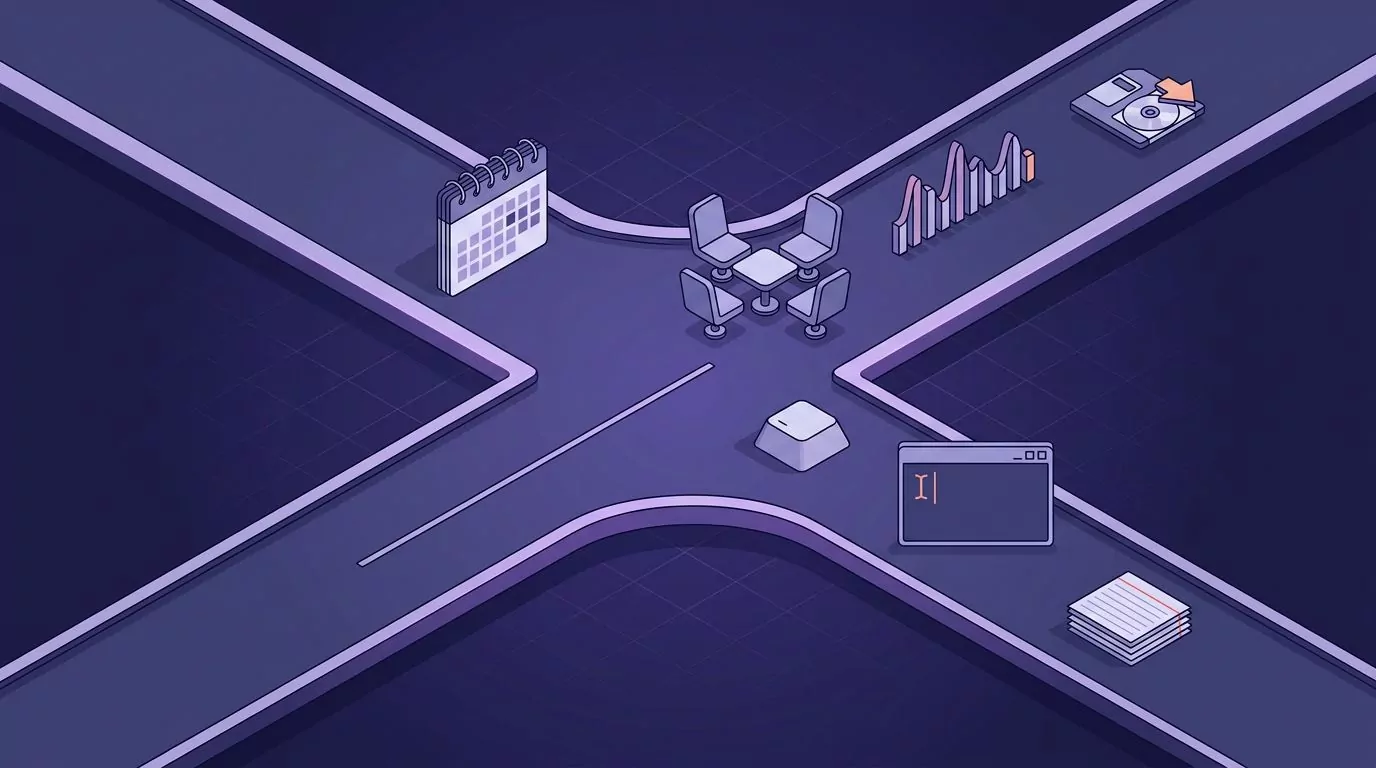
Which Half of This Search Are You?
Read the two lists below. Pick the one that sounds like your week.
You want a meeting recorder if:
- You need a record of what other people said on a call.
- You want speaker labels, so you know who promised what.
- You want to replay a moment you half heard.
- You want a summary and an action list you did not write.
You want a dictation app if:
- You are the only one talking, and you are talking so you do not have to type.
- The words need to land inside an email, a ticket, or a Slack reply.
- You want the text punctuated and cleaned before it lands.
- You never want a copy and paste step between speaking and sending.
If your list is the first one, Otter or one of its meeting rivals wins. You can stop after the next two sections. If your list is the second one, Otter was never built for you, and the rest of this article is about what is. A talk to text workflow at your desk is a different tool category, not a cheaper version of the same thing.
What Otter.ai Actually Is, and What It Is Not
Otter.ai is a meeting assistant. It joins your Zoom, Microsoft Teams and Google Meet calls from your calendar, transcribes them live, labels the speakers, and writes a summary with action items afterwards. It keeps the recording so you can play it back later. You can also upload audio and video files and have them transcribed.
That is a real product doing a real job well, and it is worth saying without hedging. If you need to know who said what on Tuesday, none of the dictation apps later in this article can help you. They were not listening.
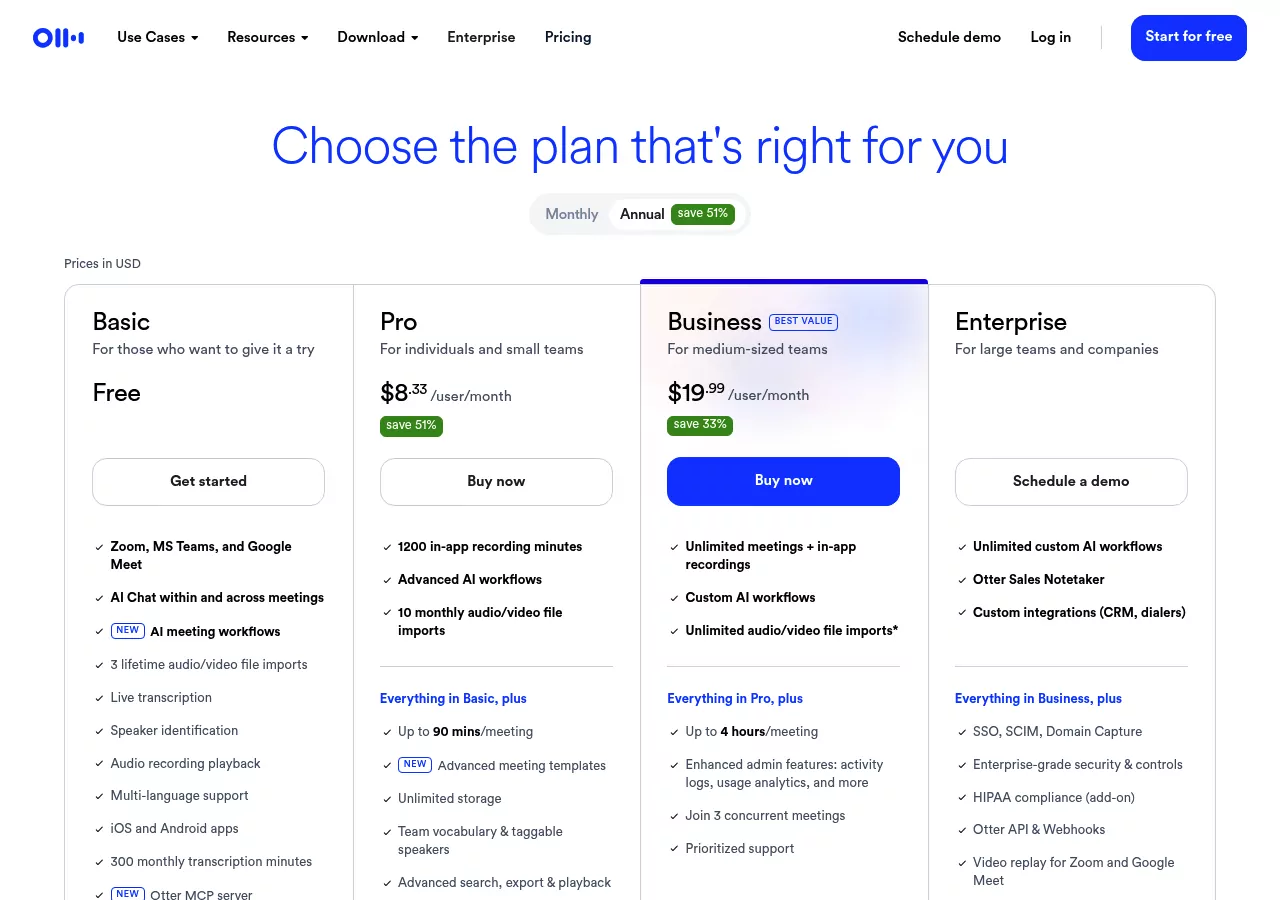
Otter's free Basic plan gives you 300 transcription minutes a month, capped at 30 minutes per conversation, plus three audio or video file imports for the life of the account. Pro is $8.33 per user per month billed annually and raises that to 1,200 minutes, 90 minutes per meeting and ten file imports a month. Business is $19.99 per user per month with unlimited meetings.
Here is what Otter is not. It is not a key you hold down while you write a reply. It does not sit quietly behind your cursor in whatever app you happen to be in. Its unit of work is a conversation, not a sentence.
If You Want Meeting Recording, These Are the Otter.ai Alternatives Worth Naming
Short section, because this is not the half we can help with. If any of these sound like your job, follow the link and stop reading here.
| Tool | What it does differently |
|---|---|
| Fireflies.ai | Sends a notetaker into the call, then lets you search across every meeting you have ever had. |
| Fathom | Free plan includes unlimited recordings and transcripts, with clips and playlists on top. |
| Granola | A Mac and Windows app that listens to your computer audio instead of sending a bot into the call. |
| Notta | Covers web, desktop, phone and a browser extension, with transcripts synced across all of them. |
| Sonix | Not a meeting bot at all. You upload files you already have and pay by the hour. |
| Descript | An editor first. You edit the video or podcast by editing its transcript. |
If you are weighing Otter.ai vs Fireflies specifically, the split is search against summary. Fireflies is built around finding a sentence across hundreds of past calls. Otter leans harder on the summary and the action list for the call you just had.
The pattern across all six is the same. Something listens to a whole session, stores it, and hands you a document afterwards. That storage is the feature. It is also the thing dictation users usually do not want.
If You Wanted to Dictate Instead of Type, Here Is What Changes
Switching from a meeting recorder to a dictation app changes five concrete things. Not the price. The behavior.
1. You start it, and you stop it
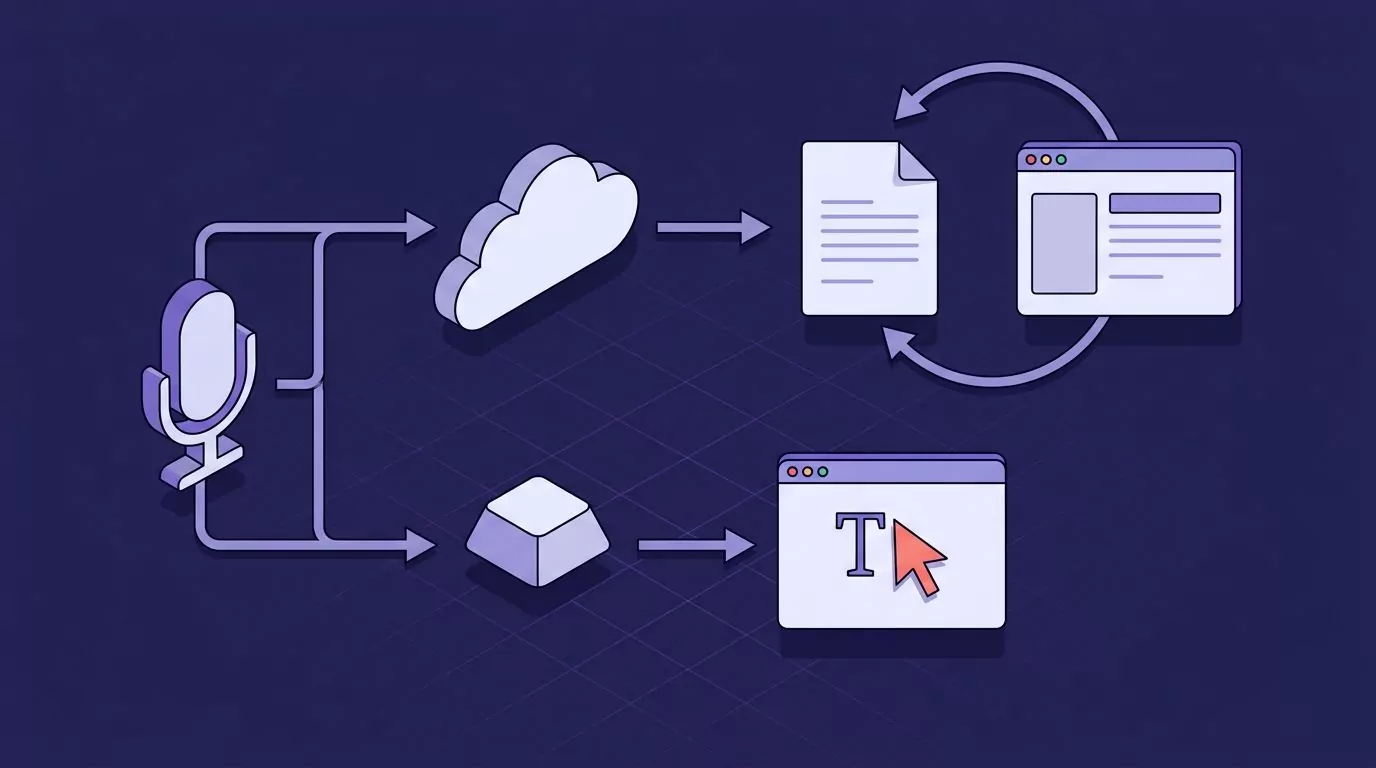
A meeting tool decides when to listen based on your calendar. A dictation app listens while you hold a key and stops when you let go. That sounds small. It is the whole difference between a tool that runs your day and a tool that waits for you.
2. The text lands where your cursor already is
This is the test that separates the two groups. Ask where the words go. A transcription tool puts them in its own document, and you go and fetch them. A dictation app types them into the field you were already looking at.
3. Something has to add the punctuation
Raw speech has no commas. Every tool here handles that differently. Some insert punctuation automatically, some make you say "comma" out loud, and some let you toggle between the two.
4. Filler words are either removed or they are not
You say "um". You restart a sentence halfway through. A transcript is supposed to keep that, because it is a record. A dictation app should throw it away, because you are writing, not testifying.
5. Something decides what happens to the words afterwards
Sent messages usually vanish into the app you sent them to. Some dictation tools keep a copy of everything you dictated so you can find it later by a phrase you remember. That library is closer to a searchable commonplace book than to a meeting archive.
The dictation side, tool by tool
- Apple Dictation is free and already on your Mac. Turn it on under Apple menu, System Settings, Keyboard, Dictation. In supported languages it adds commas, periods and question marks for you. It has no time limit, and it stops on its own after 30 seconds of silence. See our full guide to dictating on a Mac in any app.
- Windows voice typing is free too. Put your cursor in a text box and press Win and H. Auto punctuation is off by default and lives behind the gear icon on the little toolbar. It needs an internet connection. Here is what the Win+H shortcut does and where it stops.
- Dragon Professional is the old guard. Version 16 is built for Windows 11 and works back to Windows 10. There is no current Mac version: Dragon Professional Individual for Mac was discontinued in 2018 and never replaced.
- Superwhisper runs on Mac, Windows and iPhone. It can run its models on your own machine, which matters if you work on planes or under a strict IT policy. There is a free tier, a Pro plan from $8 a month, and a one time lifetime license. We compared it against the field in our Superwhisper alternatives roundup.
- Wispr Flow types wherever your cursor is, strips filler words and formats as you speak. The free tier gives you 2,000 words a week on desktop. Pro is $15 a month, or $12 a month billed annually.
- VoiceSnap Pro is a Mac and Windows app built around one held shortcut. Release the key and punctuated text appears at the cursor with the "um" already gone. Every dictation is also saved as a note, tagged with the app and the time, and you can search the whole library by any phrase you said. Notes export as plain text or Markdown. Audio is transcribed and then discarded, so there is nothing to play back.
The Whole Field on One Screen
Scroll this table sideways on a phone. The column that matters most is "where the text lands", because that is the column nobody else compares on.
| Tool | What it is for | Platforms | Where the text lands | What it stores | Offline | Price as of August 2026 |
|---|---|---|---|---|---|---|
| Otter.ai | Meetings | Web, Mac, Windows, iOS, Android | Its own transcript page | Recordings, transcripts, summaries | No | Free Basic; Pro $8.33 per user per month annually |
| Fireflies.ai | Meetings | Web plus a bot that joins calls | Its own meeting page | Recordings and transcripts | No | Free tier plus paid plans |
| Fathom | Meetings | Web and meeting apps | Its own meeting page | Recordings and transcripts | No | Free; Premium $20 a month, $16 annually |
| Granola | Meetings | Mac, Windows, iOS, Android | Its own note page | Notes and transcripts | No | Free Basic; Business $14 per user per month |
| Notta | Meetings and files | Web, Mac, Windows, iOS, Android, Chrome | Its own transcript page | Recordings and transcripts | No | Free; Pro $8.17 a month annually, $13.99 monthly |
| Sonix | Files you upload | Web | A transcript you download | Your files plus transcripts | No | $10 an hour, or Core $25 a month |
| Descript | Editing video and audio | Web, Mac, Windows | Its own editor project | Your media plus transcripts | No | Free; Hobbyist $16 a month annually, $24 monthly |
| Apple Dictation | Dictation | macOS | At your cursor | Nothing of its own | On device for general text | Free with macOS |
| Windows voice typing | Dictation | Windows 10 and 11 | At your cursor | Nothing of its own | No, needs internet | Free with Windows |
| Dragon Professional | Dictation | Windows only | At your cursor | The documents you dictate | Yes, runs on the PC | Paid license, quoted by Nuance |
| Superwhisper | Dictation | Mac, Windows, iOS | Into the app you are using | A history of your transcriptions | Yes, with local models | Free tier; Pro from $8 a month; lifetime license |
| Wispr Flow | Dictation | Mac, Windows, iOS, Android | At your cursor | A history of your dictations | No | Free 2,000 words a week; Pro $15 a month, $12 annually |
| VoiceSnap Pro | Dictation | Mac and Windows | At your cursor | Text notes only; audio discarded | Not stated, still pre-launch | $39 one time for early access |
Two things fall out of that table. Every meeting tool keeps a copy of the audio. Every dictation tool keeps either nothing or text. If that distinction matters to you, we went through it in detail in what zero data retention actually means.
Setting Up Desktop Dictation on a Mac or a PC
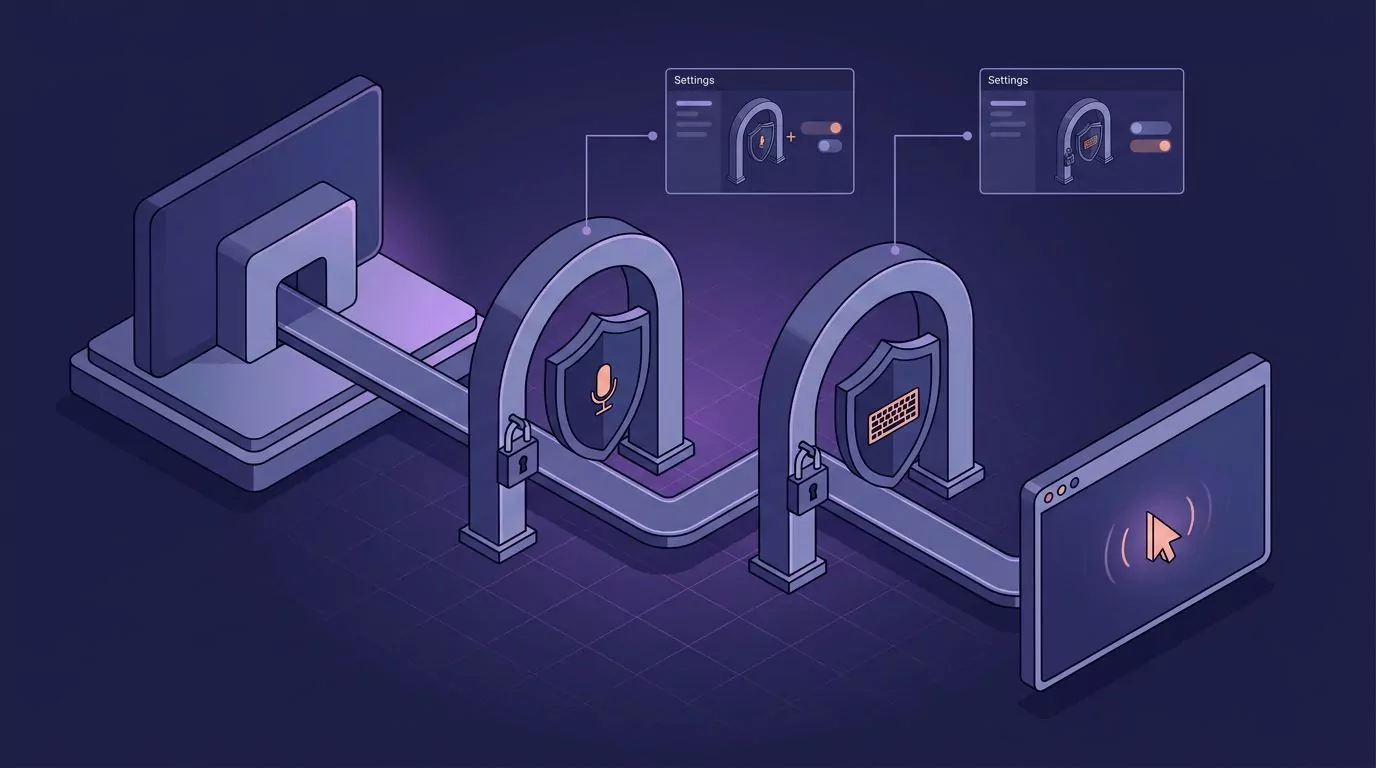
This is the part every roundup skips. A dictation app that types into other apps needs two permissions, not one, and the second one is the one people miss.
On a Mac
- The first time you hold the shortcut, macOS shows a prompt asking to use the microphone. Say yes. If you dismissed it, go to Apple menu, then System Settings, then Privacy and Security, then Microphone, and switch the app on.
- A hold to talk shortcut has to work in every app, not just its own window. macOS treats that as watching your keyboard, so the app also appears under Privacy and Security in either Input Monitoring or Accessibility. Switch it on there too.
- Quit the app and open it again. macOS often does not apply a new permission to a process that is already running, and this is the single most common reason a shortcut does nothing on day one.
Apple documents both panels: microphone access and accessibility access. Our roundup of the best dictation software for Mac walks the same panels app by app.
On Windows
- Open Settings, then Privacy and security, then Microphone.
- Check the top switch, "Microphone access". If that is off, nothing on the machine can hear you.
- Check "Let apps access your microphone" below it.
- Scroll to the bottom and find "Let desktop apps access your microphone". Installed desktop apps live in that separate list, and it is far enough down the page that people miss it.
Microsoft documents that page under app permissions for your microphone. Windows does not have a separate keyboard watching permission, so a global shortcut usually just works once the mic is on.
One note on VoiceSnap Pro: it is pre-launch and collecting a waitlist, so the steps above describe the general pattern for desktop dictation apps rather than a walkthrough of a shipping screen.
What Goes Wrong the First Week
Nobody on this topic writes this section, which is odd, because these five things happen to almost everyone.
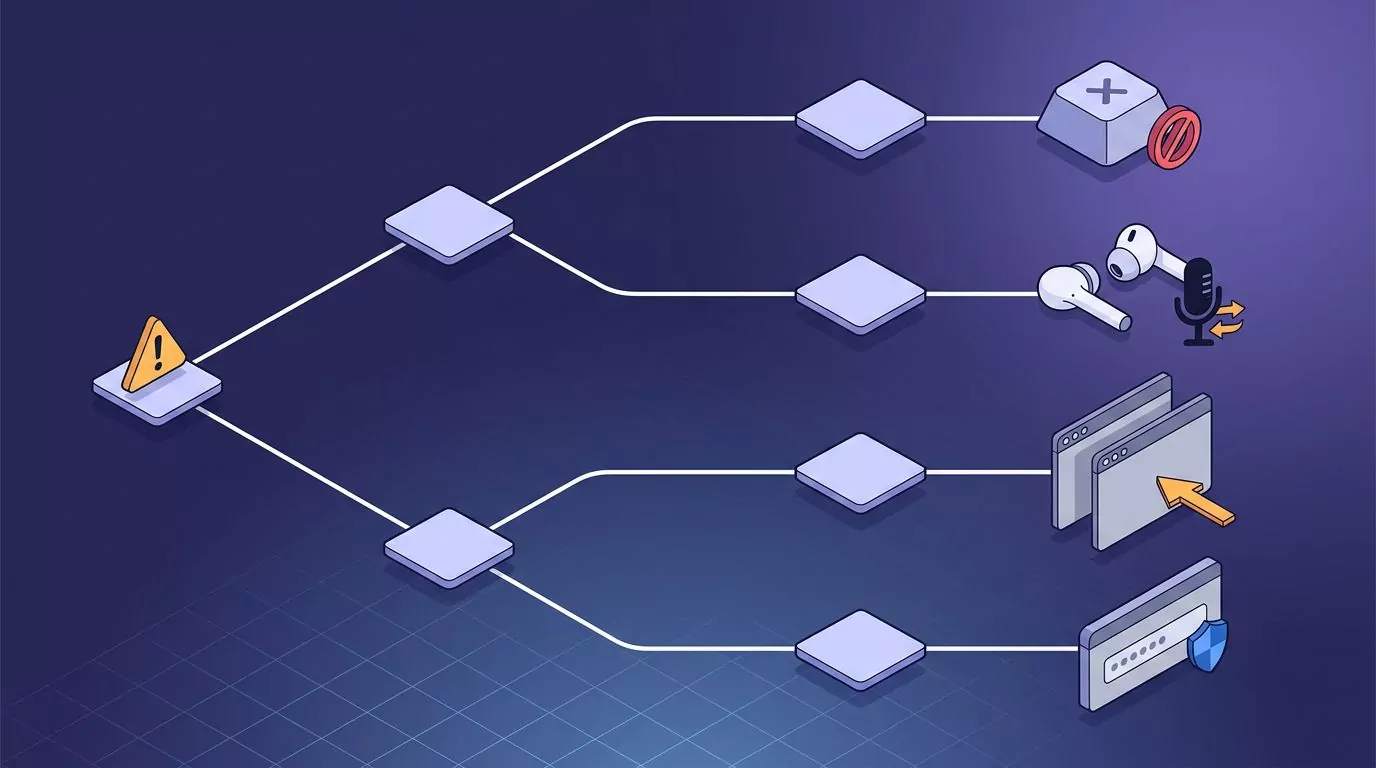
Another app already owns your shortcut. Screen capture tools, window managers and chat apps grab a lot of key combinations. If nothing happens when you hold the key, the fix is to pick a different one, not to reinstall. Right Option and Fn are usually free on a Mac.
Your headset connected and moved the input. Plug in earbuds mid morning and the operating system may switch the microphone to them without telling you. Check the input device in Sound settings before you blame the software. Bluetooth earbuds also compress audio, which makes accuracy worse than a wired mic or the built in one.
The text went into the wrong window. These apps type into whatever is focused when you release the key. Click on something else while you are still speaking and your sentence lands there instead. Speak, release, then move.
Some fields refuse typed input. Password boxes, some remote desktop sessions and some virtual machine windows block synthetic keystrokes on purpose. The workaround is to dictate into a normal text field and move the text yourself. If your text stops appearing everywhere at once, work through our voice typing triage guide.
Noise and names. Open offices, air conditioning and unusual proper nouns all cost you accuracy. Names of people, products and internal projects are the words these tools get wrong most often.
And here is the one thing none of them fix. A dictation app cannot give you back audio it never recorded. If you finish a call and wish you had a transcript, no tool in the second half of this article can help. That is a recorder's job.
What These Tools Do Not Do Well
Accuracy claims in this category are mostly marketing. Accuracy depends on your accent, your microphone, the room, and how many unusual words you use. A number measured in a quiet studio with a headset tells you very little about your open plan office.
So here is the one figure worth quoting, with its conditions attached. A 2016 study by researchers at Stanford, the University of Washington and Baidu found that speech input was around three times faster than keyboard entry in English. That test used short messages, on touchscreen phones, in English and Mandarin. It is not a desktop measurement, and it is not a benchmark of any product named on this page. Treat it as a reason speaking feels faster, not as a promise. Our piece on average typing speed has the other half of that comparison.
Dictation is also genuinely bad at some writing. It is good at first drafts, replies, notes and long explanations. It is poor at tables, code, precise formatting and anything where you need to see the shape of the thing while you build it. Most people who stick with it end up speaking the prose and typing the structure.
VoiceSnap Pro has its own limits, and they are worth stating in the same breath. There is no download yet, because it is pre-launch. It does not record or transcribe meetings, calls or uploaded audio files. It does not store audio at all, so there is no recording to revisit. There is no shared team library and no mobile app. If any of those are the job, something else on this page is the better buy.
Frequently Asked Questions
Is Otter.ai free?
There is a free Basic plan. It gives you 300 transcription minutes a month, caps each conversation at 30 minutes, and allows three audio or video file imports for the lifetime of the account. Paid plans start at $8.33 per user per month billed annually.
Is Otter.ai safe?
Otter stores your recordings and transcripts on its servers so you can search and replay them. That is the product working as designed, not a flaw. Whether it is safe enough is a question about your own rules: if your policy says conversations must not be stored in a third party cloud, no meeting recorder passes, and you should look at tools that keep text only.
Can Otter.ai transcribe an audio file I upload?
Yes. File import is a paid feature in practice. The free tier allows three imports for the life of the account, Pro allows ten a month, and Business lifts the cap.
What is the best free Otter.ai alternative?
For meetings, Fathom's free plan is the most generous, with unlimited recordings and transcripts. For dictation, the built in options are free and already installed: Apple Dictation on macOS and Win+H voice typing on Windows. Try those before you pay for anything.
Does Otter.ai work offline?
No. It is a cloud service and needs a connection. Among the dictation tools, Dragon Professional runs on the PC itself, and Superwhisper can run local models, which is the closest thing to offline dictation on either platform.
Can I use a dictation app instead of Otter for meeting notes?
Only for your own notes. A dictation app hears you, not the room. You can speak your notes as the call happens, or right after it, and get clean text out of it. What you will not get is what anyone else said. That is the trade, and it is worth making only if your notes were always going to be your own summary anyway. Some people find that talking the notes out afterwards beats typing during the call.
Pick the Tool That Matches the Job
If the job is meetings, take one of the six recorders above and stop shopping. If the job is getting words out of your head and into a text box, the honest answer is that an alternative to Otter ai was never what you needed. You were looking for a key to hold.
If holding one key instead of typing every reply sounds like your kind of workflow, you can join the VoiceSnap Pro waitlist for early access at $39 one time.