Typeless Alternatives: Dictation Apps Compared on Cleanup, Price and Platform
The best Typeless alternatives are Wispr Flow, Superwhisper, Aqua Voice, VoiceSnap Pro, and the free dictation built into macOS and Windows. Choose by how hard each app rewrites what you said. Typeless sits at the heavy end. It strips filler, tidies your changes of mind, and can translate while you speak.
So the real question behind any Typeless alternative search is not price. It is this: do you want your own words back with punctuation added, or a cleaner version of them written by a model? Every page on this topic ranks tools by cost and privacy. Almost none of them rank tools by that.
What Typeless actually does to your sentences
The Typeless app runs on Mac, Windows, iPhone and Android. You speak, and text appears in whatever app you are using. That part is normal. The unusual part is what happens between your voice and the screen.
Typeless does not just transcribe. Its own site lists filler removal, repetition removal, and a feature it calls auto-editing "when you change your mind". It also offers spoken editing of selected text, so you can make a passage shorter, longer, or change its tone by talking. And it translates as you speak, into phrasing it says reads "like a local would write it".
That is a lot of editing. It is genuinely useful when your speech needs it. It is also the thing that makes some people go looking for something else.
The three levels of cleanup
Every app in this comparison sits somewhere on one scale. Knowing where a tool sits tells you more than its price does.
- Light. The app adds capital letters, commas and full stops. It may drop "um" and "uh". Your words, your order, your hedges. Nothing is reworded.
- Medium. The app also fixes false starts, breaks your speech into paragraphs, and adapts to the app you are typing into. Sentences get tidied but the content stays yours.
- Heavy. A language model rewrites the passage. It merges points, shortens, changes register, and can remove a self-correction entirely. What arrives is a good piece of writing. It is not a record of what you said.
None of those is wrong. They are answers to different jobs. Drafting a blog post out of messy thinking wants heavy. Replying to a client who will quote you back wants light.
So when people ask for a dictation app that cleans up text, they mean two different things. Some want tidier punctuation. Some want a better paragraph. Decide which one you are before you compare prices.

The same sentence, cleaned two different ways
Here is what that scale looks like on a real sentence. Imagine you hold your key and say this into a Slack reply, at normal speed, thinking as you go.
So I think we should push the launch to, um, the fifteenth, no sorry, the eighteenth, because Marta is out that week, and honestly the landing page copy is not, it's not finished, we still need the pricing table.
A light-touch tool gives you back this. Fillers gone, punctuation added, everything else untouched.
So I think we should push the launch to the fifteenth. No, sorry, the eighteenth, because Marta is out that week. And honestly the landing page copy is not, it's not finished. We still need the pricing table.
A heavy-rewrite tool gives you back something like this instead.
I suggest we move the launch to the 18th. Marta is unavailable that week, and the landing page copy still needs the pricing table.
The second version is better writing. It is also a different message. Four things changed, and none of them are grammar.
- The self-correction vanished. Your reader never learns you first said the fifteenth. If you were the person who proposed the fifteenth in an earlier thread, that correction was the whole point of the message.
- Two problems became one. You said the copy is unfinished, and that the pricing table is missing. The rewrite folds them together, so the copy now sounds finished apart from a table.
- Your stance got firmer. "So I think we should" is a hedge. "I suggest we" is a proposal. The model made you more confident than you were.
- "Honestly" is gone. Small word, real job. It flagged that you were volunteering bad news. Now it reads as a neutral status update.
This is an illustration of the two processing styles, not a benchmark of any named app. Run your own worst sentence through a free tier before you pay anyone. That test takes five minutes and settles the whole question.

Every Typeless alternative here, side by side
Prices and platforms below were checked on each vendor's own site on 31 August 2026. Vendors change plans often, so re-check before you buy.
| App | Platforms | Cleanup level | Where the text lands | Searchable history | Works offline | Price |
|---|---|---|---|---|---|---|
| Typeless | Mac, Windows, iOS, Android | Heavy | Into the app you are using | Yes, held on your device | Not documented on the site | Free for 8,000 words a week. Pro $12 per member a month billed yearly, or $30 month to month |
| Wispr Flow | Mac, Windows, iOS, Android | Medium | At the cursor | Yes, on desktop | No, it needs a connection | Free for 2,000 words a week on desktop. Pro $12 per user a month billed yearly, or $15 month to month |
| Superwhisper | Mac, Windows, iOS | Light to heavy, set per mode | Pasted into the app you are using | Yes, and it keeps the recording too | Yes, with local models | Free tier. Pro from $8.49 a month, with yearly and one-time lifetime options |
| Aqua Voice | Mac, Windows, iOS | Medium, plus spoken edit commands on Max | Into the app you are using | Yes, transcript history; search not documented | Not documented on the site | 1,000 free words. Pro $8 a month. Max $24 a month |
| Apple Dictation | Mac, built in | Light, punctuation only | At the cursor | No | On device for general text dictation | Free with macOS |
| Windows voice typing (Win+H) | Windows, built in | Light, punctuation only | At the cursor | No | Not documented on the support page | Free with Windows |
| VoiceSnap Pro | Mac, Windows | Light, punctuation and filler removal, no rewriting | At the cursor | Yes, every dictation saved as a note | Not stated, still pre-launch | $39 one time for early access through the waitlist |
Two things stand out in that grid. Only one row keeps your audio. And the history column, which decides whether you can ever find a message you dictated last Tuesday, splits the list along the price line.
Every paid app here keeps some record of what you said. The two free built-ins keep none, so switching away from Win+H or Apple Dictation is the move that buys you a record at all.
Wispr Flow: medium cleanup that catches your corrections
Most Typeless vs Wispr Flow comparisons stop at the money, where the two are almost identical on an annual plan. The interesting difference is upstream of that.
Wispr Flow types wherever your cursor is, in any app, with no per-app setup. It removes filler, adds punctuation, formats as you speak, and catches corrections. That places it a step below Typeless: it tidies, but it does not restructure your argument.
Setting it up on a Mac
- Install and open the app. Say yes to the microphone prompt. If you miss it, go to Apple menu, then System Settings, then Privacy & Security, then Microphone, and turn the app on.
- Open Privacy & Security, then Accessibility, and turn the app on. Apple describes this one as "Allow apps to run scripts and system commands to control your Mac". It is what lets the app put text into another app's field.
- In the same Privacy & Security list, open Input Monitoring and turn the app on. Apple describes it as "Allow apps to monitor input from your mouse or trackpad, and to see what you type on the keyboard". This is the one that makes a hold-to-talk key work while a different app has focus.
- Quit the app fully and open it again. macOS often ignores a fresh Accessibility or Input Monitoring grant until the app restarts. Most "it just does nothing" reports are this step.
- Click into a text field, hold your key, speak one sentence, release.
If it still does nothing after that restart, our dictation troubleshooting guide walks the rest of the checks on both systems.
Setting it up on Windows
- Install and open the app.
- Go to Start, then Settings, then Privacy & security, then Microphone. Turn on "Microphone access". Then turn on "Let apps access your microphone". Then scroll down and turn on "Let desktop apps access your microphone".
- That last toggle is the one people miss. A dictation app is a desktop app, so the app-level list above it does not cover it.
- Pick a hold-to-talk key Windows does not already use. Right Alt and Right Ctrl are usually safe. F1 through F12 rarely are.
Who it suits, and where it breaks
It suits people who write all day across many apps and want one key that behaves the same everywhere. The free tier is 2,000 words a week on desktop, which is enough to judge it properly.
It breaks when the network does. Wispr Flow processes in the cloud, so a weak connection stalls it.
The company's own help pages say Flow saves your audio even if the connection drops mid-transcription, and that on desktop you recover the transcript from History. That is a good failure design. It is still a failure, and on a train it will happen.
Superwhisper: local models, a full history, and audio that stays
A Typeless vs Superwhisper choice is really a choice between cloud rewriting and local control. Superwhisper takes the opposite approach to Typeless. It runs models on your machine, so it works with no connection at all.
It also uses modes, which means the cleanup level is a setting rather than a fixed personality. One mode can be raw transcription. Another can run a prompt over the result.
Its History panel is the most complete of any app here. The official documentation says you can search recordings by your original voice input, toggle between the raw transcription and the processed text, and that Superwhisper does not automatically delete past recordings.
Read that last part twice, because it cuts both ways. Keeping the audio means you can go back and hear what you actually said, which no other app here offers. It also means hours of your voice are sitting on your disk until you clear them out.
Superwhisper's own docs suggest cleaning up history now and then to save space. If you dictate anything sensitive, decide which of those two facts matters more to you. Our guide to what zero data retention actually means walks through the difference between an app that never stores audio and one that stores it locally.
Superwhisper also transcribes uploaded audio and video files, which most cursor dictation apps do not. If you need both jobs from one purchase, that matters. We compare it against the rest of the field in more depth in our Superwhisper alternatives guide.
One behaviour worth knowing before you switch: the text arrives by paste, not by simulated typing. Superwhisper's advanced settings documentation describes a Paste Result Text toggle, a clipboard fallback when you turn it off, and a separate Simulate Keypresses option for apps where pasting does not work.
Setup follows the same macOS path as above: Microphone, Accessibility, Input Monitoring, then restart the app. On Windows it needs the microphone toggles in Privacy & security.
Aqua Voice: dictation you can steer while you talk
Aqua Voice runs on Mac, Windows and iOS. The free tier is 1,000 words. Pro is $8 a month for unlimited words plus custom instructions and a dictionary. Max is $24 a month and adds real-time mode and voice commands.
Those voice commands are the interesting bit. Instead of the app deciding how much to clean up, you say what you want changed while you dictate. That is a different answer to the same problem Typeless solves with automation: you keep control, but you have to spend attention on it.
It suits people with jargon-heavy work, because the expanded dictionary is on the paid tier and does real work on names and product terms. It is a weaker pick if you want set-and-forget. Aqua Voice does not document an offline mode. It does keep a private transcript history you can go back to any time, and a Privacy Mode that stores nothing on its servers, but it does not document searching that history by what you said the way Superwhisper does.
Apple Dictation and Win+H: the free baseline worth testing first
Before paying anyone, spend a day with what you already own. Both built-in options sit firmly at the light end of the scale, and for some people that is exactly right.
On a Mac, Apple Dictation types at the cursor in any app. Apple says that in supported languages it "automatically inserts commas, periods, and question marks for you as you dictate". You can dictate text of any length with no timeout, and it stops on its own after 30 seconds of silence.
Apple also notes you can check Keyboard settings to see whether your voice inputs and transcripts for general text dictation are processed on your device rather than sent to Siri servers. Our step by step Mac dictation setup covers the shortcut options in full.
On Windows, press Windows key and H. Microsoft's voice typing page confirms the shortcut and the settings behind the gear icon in the flyout, including Automatic punctuation, the voice typing launcher, and a default microphone picker. Automatic punctuation is a toggle in there, which is why people who never opened that gear icon assume Win+H cannot punctuate at all. We go deeper on its limits in our guide to what Win+H does and where it stops.
What you give up with both: no filler removal, no dictation history, and a toggle rather than a hold-to-talk key. Neither remembers a single thing you said. That is fine for a search box and painful for a day of email.
VoiceSnap Pro: your own words, punctuated and kept
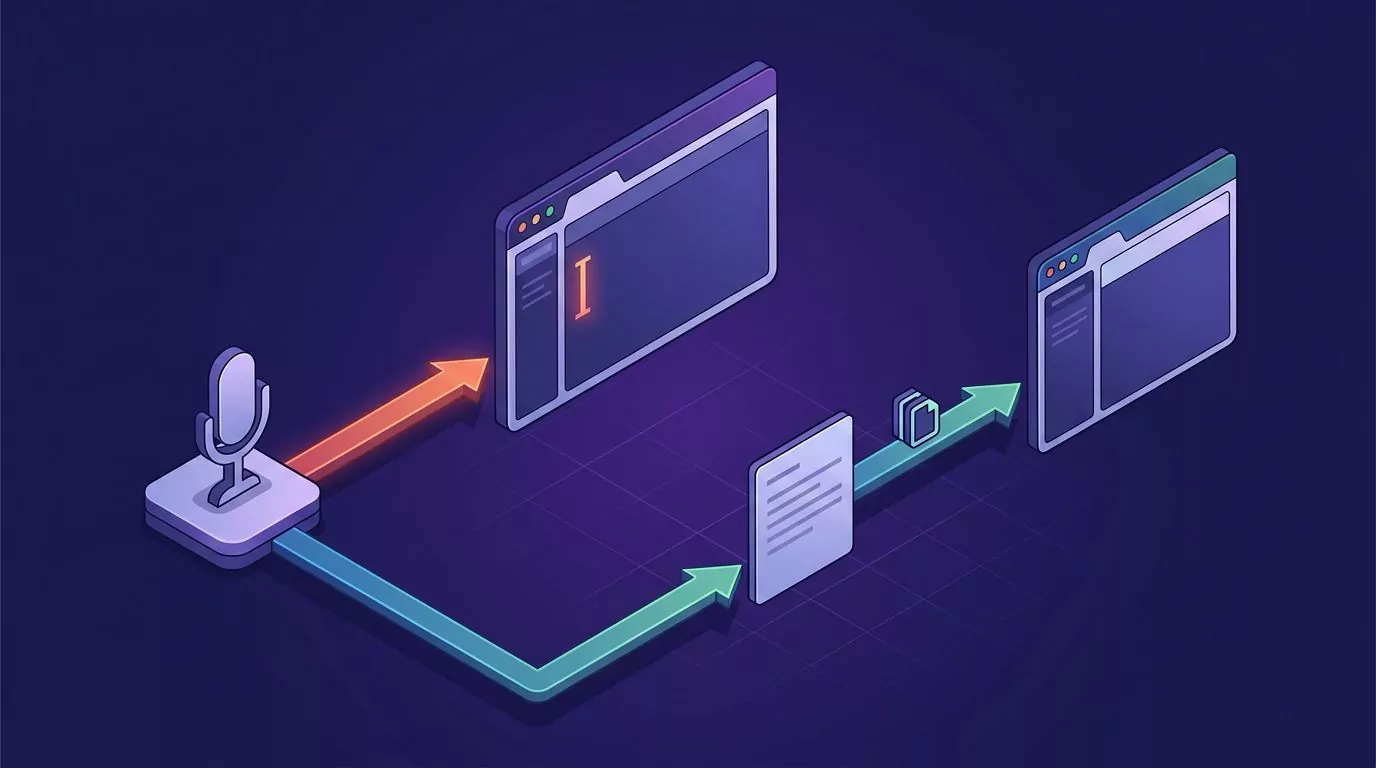
VoiceSnap Pro is a Mac and Windows app built for the light end of the scale on purpose. You put the cursor in any text field, hold your chosen key, and speak. On release, punctuated text appears at the cursor with fillers like "um" removed.
Your phrasing, your order, your hedges. Nothing is reworded.
What sits behind its entry in that history column is a notes library. Every dictation is saved as a note, tagged with the app you dictated into and the time. You can search all of it by any phrase you actually said, browse by day and app, and export a note, a day, or the whole library as text or Markdown. So the Slack reply you dictated on Tuesday is still findable on Friday.
Now the honest limits, because they are real and they will rule it out for some readers.
- It has not shipped. VoiceSnap Pro is pre-launch and collecting a waitlist. Early access is $39 one time. There is nothing to download today.
- Mac and Windows only. No mobile app, no browser extension. If you dictate on a phone, Typeless, Wispr Flow and Aqua Voice all have you covered and this does not.
- No team features. No shared workspaces, no collaboration, no central billing.
- No audio, ever. Speech is transcribed and the audio is discarded. There is no recording and no playback, so you can never go back and listen to check what you said. Superwhisper can do that. This deliberately cannot.
- It will not restructure your thinking. If you ramble and want a clean paragraph out the other end, this is the wrong end of the scale. That is what Typeless is for.
Where dictation breaks on a real desk
No comparison table predicts these. All five happen weekly, on every app in this list.
The hold-to-talk key does nothing in one app
Usually a permissions gap, sometimes a focus one. On a Mac, check Input Monitoring first, then restart the app.
On Windows, a normal app cannot send keystrokes into a window running as administrator. If your terminal or installer is elevated and your dictation app is not, nothing arrives. Run the dictation app as administrator too, or dictate into a normal window and paste.
Text lands in the wrong window
You start speaking, a notification steals focus, and your sentence appears in Slack instead of the document. Fix it by clicking into the target field and pausing half a second before you hold the key. Turn on Do Not Disturb for long dictations.
Nothing happens in a password field
This is by design, not a bug. Password fields and other secure inputs reject synthetic keystrokes on both operating systems. No dictation app will ever type into them, and you should be glad. Type those by hand.
A cloud app stalls on a weak connection
Typeless, Wispr Flow and Aqua Voice all process in the cloud. On hotel wifi you will see a spinner where your sentence should be. Local processing in Superwhisper is the only structural fix here. Everything else is a workaround.
Cleanup quietly ate something you meant
The hardest one to catch, because nothing looks wrong. The text is clean, and the hedge you needed is gone.
If you use a heavy tool, read before you send anything that matters. If that reading tax is annoying you weekly, that is your signal to move down the scale.
How to choose in about two minutes
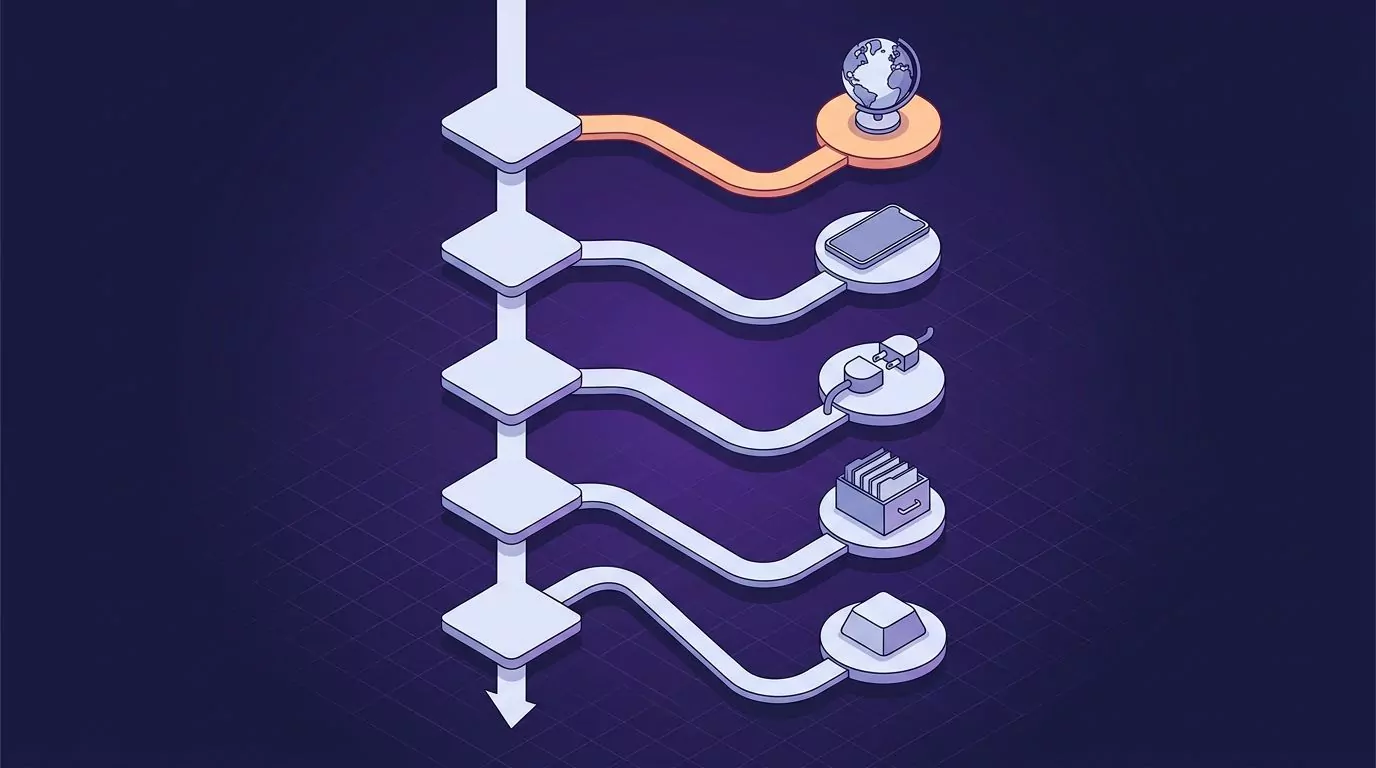
Answer these in order and stop at the first yes.
- Do you dictate in a second language, or think out loud in long unstructured bursts? Stay with Typeless. Nothing else here restructures speech as well, and the live translation has no real equivalent in this list.
- Do you need it on a phone as well as a desk? Typeless, Wispr Flow and Aqua Voice all run on a phone, and Superwhisper has an iOS app. Only Apple Dictation, Win+H and VoiceSnap Pro are desk only.
- Do you work offline often, or need the audio kept? Superwhisper. Local models and a history that keeps the recording.
- Do you want your exact words back, and to find them again later? The light end with a notes library, which is where VoiceSnap Pro sits.
- Do you only dictate a few times a week? Apple Dictation or Win+H. Free, already installed, good enough for short bursts.
That same ladder answers a Wispr Flow alternative search too, because all of these apps sit on one scale together.
One more filter worth applying: pricing model. Typeless, Wispr Flow and Aqua Voice are subscriptions. Superwhisper offers a lifetime option alongside its subscription, and a one-time price is only a saving if the tool still suits you in year three.
If you are still narrowing the field, our roundup of the best dictation software for Mac compares permissions and punctuation across a wider set. Our desk workflow guide covers the habits that make any of these stick.
Frequently Asked Questions
Is Typeless worth it?
It is worth it if your speech genuinely needs restructuring. If you dictate in a second language, or think out loud and want a tidy paragraph back, Typeless does that better than the lighter tools here. It is not worth it if you want a faithful record of your own phrasing, because the same features that clean up rambling will also flatten a hedge or drop a correction you meant to keep.
What is the best free dictation app?
For most people it is the one already on the machine: Apple Dictation on a Mac, or Windows voice typing with Windows key and H. Both are free, both type at the cursor, and both add punctuation. A genuinely free Typeless alternative means one of those two, because the free tiers below are capped. If you want free plus filler removal, those capped tiers are the next step: Wispr Flow gives 2,000 words a week on desktop, Typeless gives 8,000 words a week, and Aqua Voice gives 1,000 words in total.
Is Typeless AI free?
There is a free plan. Typeless lists it at $0 for 8,000 words a week, with standard accuracy, translation, a personal dictionary and support for over 100 languages. Unlimited words, enhanced accuracy and cloud sync sit on the paid Pro plan. Checked on typeless.com on 31 August 2026.
How much does Typeless cost?
Typeless Pro is listed at $12 per member a month when billed yearly, or $30 when billed monthly. The free plan stays at $0 with an 8,000 word weekly cap, and there is a custom-priced Enterprise tier with SSO and audit logs. Those figures come from the Typeless pricing page on 31 August 2026, which is worth noting because several comparison sites quote only the $30 monthly rate.
The short version
Price and privacy are easy to compare, so every AI dictation app for Mac and Windows gets compared on them. The thing that decides whether you keep using a dictation app is quieter: how much of your own voice survives the trip to the screen. Test that first, with your own messy sentence, before you look at a single price.
If the light end sounds like your side of the scale, and you want everything you say to stay findable afterwards, you can join the VoiceSnap Pro waitlist for $39 one-time early access on Mac and Windows.